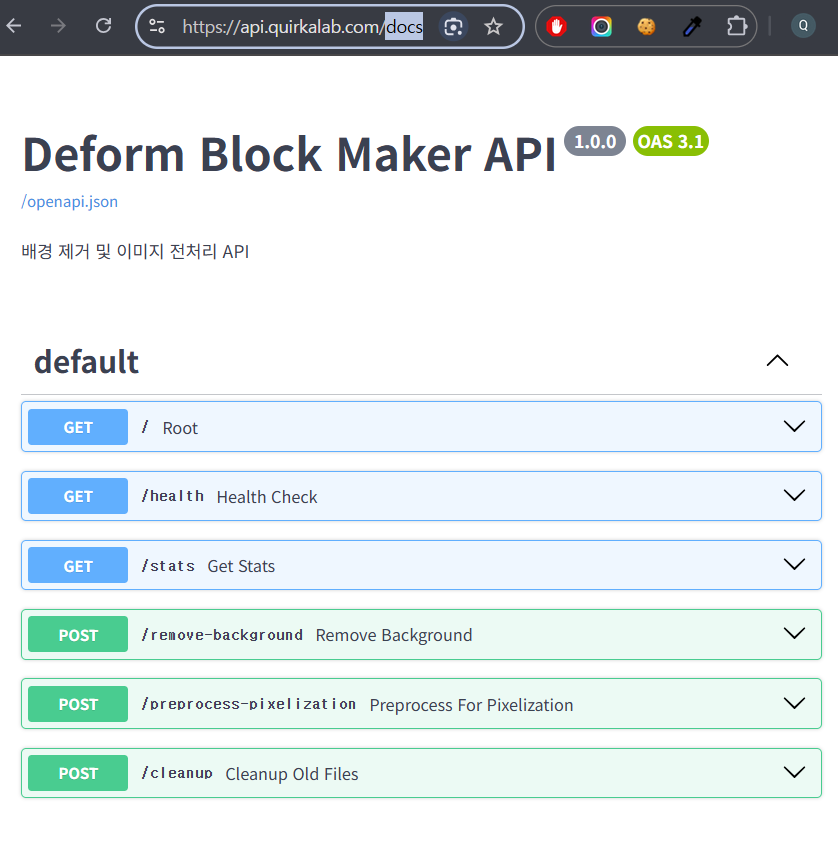
도커 네트워크로 라운드로빈해서 스케일 아웃하기,
안녕하세요, 이번 포스팅에서는 도커 네트워크로 라운드로빈(매우 간소화된 로드밸런서) 기능을 활용해서 스케일아웃을 해보겠습니다.
제 프로젝트에 대해 잠시 소개해드리자면,
저는 cloudflared tunnel로 외부 도메인으로부터 내부 포트를 연결해주고,
node.js 로 엣지 서버를 만들어서 간단한 봇 차단 및 내부 서비스로 리디렉션을 해줍니다.
내부 서비스로는 fastapi 서버를 두었습니다. 저는 fastapi 서버에 잡큐 기능을 아직 넣지 않아서, 당장 베타버전을 테스트하기 위해선 스케일아웃이라도 꼭 있어야 했습니다. ㅎㅎ
그래서 다음과 같이 도커 내에서 스케일아웃을 고려하였습니다.
1
2
3
4
5
6
7
8
Cloudflare Tunnel (cloudflared 1개)
   |
   v
edge_proxy 2개  ← (도커 네트워크 DNS round-robin 자동 분산)
   |
   v
fastapi_server 4개  ← (edge_proxy에서 다시 서비스명으로 프록시 → 라운드로빈)
물리적 cpu 리소소는 컨테이너가 공유하므로 실제 cpu보다 여러개를 실행해도 성능저하가 다소 있을 수는 있으나 그 외에 문제될 것은 없습니다.ㅎㅎ
제 도커 컴포즈는 다음과 같습니다.
1
2
3
4
5
6
7
8
9
10
11
12
13
14
15
16
17
18
19
20
21
22
23
24
25
26
27
28
29
30
31
services:
  cloudflared:
    image: cloudflare/cloudflared:latest
    container_name: cloudflared
    volumes:
      - ./cloudflare_blockmaker/cloudflared_config.yml:/etc/cloudflared/config.yml
      - /host/path/to/xxxxxxxx-xxxx-xxxx-xxxx-xxxxxxxxxxxx.json:/etc/cloudflared/xxxxxxxx-xxxx-xxxx-xxxx-xxxxxxxxxxxx.json
    command: tunnel --config /etc/cloudflared/config.yml run
    restart: always

  edge_proxy:
    build: ./edge_proxy
    environment:
      - PROXY_PORT=3100
      - API_SERVICE_PORT=8100
      - LOG_LEVEL=info
      - LOG_DIR=/app/logs
      - NODE_ENV=docker
    volumes:
      - ./logs/edge_proxy:/app/logs
    restart: always

  fastapi_server:
    build: ./fastapi_server
    environment:
      - SERVICE_PORT=8100
      - LOG_DIR=/app/logs
    volumes:
      - ./logs/fastapi_server:/app/logs
    restart: always
주의! container_name을 지정하면 해당 서비스는 오직 1개의 컨테이너만 실행할 수 있음. **
클라우드플레어에는 아시다시피 고급 로드밸런서(유료) 기능이 있습니다. 하지만 저는 지금 그런 기능을 사용하지 않겠습니다. 그래서 저의 클라우드플레어 터널의 경우는 크게 맡은 역할이 없이, 도커 네트워크 내에 있는 엣지프록시 서버를 연결해주기만 합니다.
그래서 사실 상 라운드로빈은 도커 네트워크가 전부 맡게 하여 다음과 같습니다.
1
docker compose up --scale edge_proxy=2 --scale fastapi_server=4
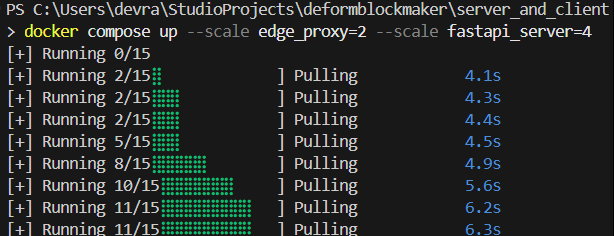
그리고 주의할 점은, edge_proxy 중간 서버에서 fastapi 서비스 서버로 요청을 라운드로빈 할 때 localhost가 아닌, “도커 네트워크 내 등록한 서비스명(=fastapi_server)”으로 해줘야 한다는 점입니다. 그래서 edge_proxy에서 api 타깃을 localhost:port 가 아니라, “서비스명”:port 로 해줍니다.
제 edge_proxy server입니다.
1
2
3
4
5
6
7
8
9
10
11
12
13
14
15
16
17
18
19
20
21
22
23
24
25
26
27
28
29
30
31
32
33
34
35
36
37
38
39
40
41
42
43
44
45
46
47
48
49
50
51
52
53
54
55
56
57
58
59
60
61
62
63
// server.js - 최소 API 프록시 전용
import dotenv from "dotenv";
import express from "express";
import { createProxyMiddleware } from "http-proxy-middleware";
import { logRequest } from "./logger.js";
import { createSecurityMiddleware } from "./security.js";
dotenv.config();
console.log("NODE_ENV:", process.env.NODE_ENV);
const API_SERVICE_PORT = process.env.API_SERVICE_PORT || 8100;

const PROXY_PORT = process.env.PROXY_PORT || 3100;
let API_TARGET;
if (process.env.NODE_ENV === "docker") {
  API_TARGET = `http://fastapi_server:${API_SERVICE_PORT}`;
} else {
  API_TARGET = `http://localhost:${API_SERVICE_PORT}`;
}

const app = express();

// 요청 로깅 및 봇 차단
app.use(logRequest);
app.use(createSecurityMiddleware());

// NODE_ENV 값으로 운영/개발 구분 예시
if (process.env.NODE_ENV === "docker") {
  app.use((req, res, next) => {
    const host = req.headers.host || "";
    if (!host.includes("api.mydomain.com")) {
      return res.status(403).send("Forbidden");
    }
    next();
  });
}

// 모든 요청을 FastAPI로 프록시
app.use(
  "/",
  createProxyMiddleware({
    target: API_TARGET,
    changeOrigin: true,
    ws: false,
    logLevel: "warn",
  }),
);

// 404 핸들러
app.use("*", (req, res) => {
  res.status(404).json({ error: "Not Found" });
});

// 에러 핸들러
app.use((err, req, res, next) => {
  console.error(err);
  if (!res.headersSent) {
    res.status(500).json({ error: "Internal Server Error" });
  }
});

app.listen(PROXY_PORT, () => {
  console.log(`API Edge Proxy listening on port ${PROXY_PORT} → ${API_TARGET}`);
});

제 서비스도 잘 올라왔네요!
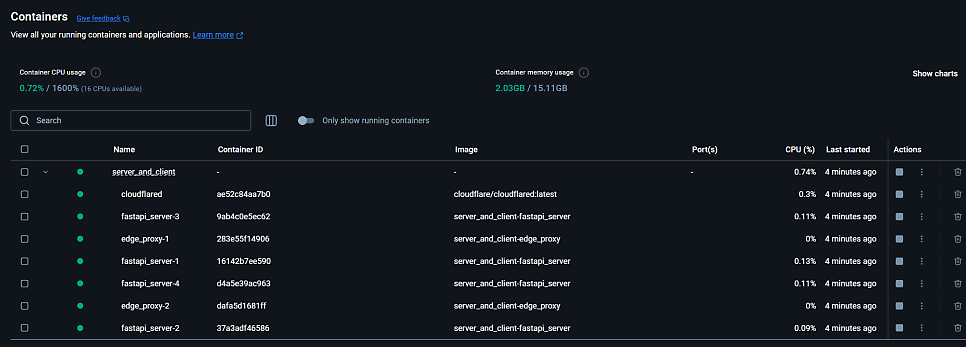
리눅스에도 올렸습니다.