chatgpt로 simple flutter code 만들기(6)
pubspec.yaml 에 flutter_launcher_icons 패키지를 추가해준다. https://pub.dev/packages/flutter_launcher_icons
flutter_launcher_icons | Dart Package A package which simplifies the task of updating your Flutter app's launcher icon. A package which simplifies the task of updating your Flutter app's launcher icon.
1
2
3
4
5
6
7
8
9
10
11
12
13
14
15
16
17
18
19
20
21
22
23
24
dev_dependencies:
  flutter_test:
    sdk: flutter

# "flutter pub run flutter_launcher_icons" to generate icons
  flutter_launcher_icons: ^0.13.1

flutter_icons:
  android: "launcher_icon"
  ios: true
  image_path: "assets/images/star_icon.png"
  min_sdk_android: 21 # android min sdk min:16, default 21
  web:
    generate: true
    image_path: "assets/images/star_icon.png"
    background_color: "#hexcode"
    theme_color: "#hexcode"
  windows:
    generate: true
    image_path: "assets/images/star_icon.png"
    icon_size: 48 # min:48, max:256, default: 48
  macos:
    generate: true
    image_path: "assets/images/star_icon.png"
pub get 을 한 후, 터미널에서 flutter pub run flutter_launcher_icons 를 입력해서 실행해준다.
그러면 android/app/src/main/res 경로 상에 여러 해상도의 아이콘이 들어있는 mipmap 폴더들이 생긴다.
flutter_native_splash 패키지를 사용해서 앱 스플래시 화면을 만든다. https://pub.dev/packages/flutter_native_splash
flutter_native_splash | Flutter Package Customize Flutter's default white native splash screen with background color and splash image. Supports dark mode, full screen, and more. Customize Flutter's default white native splash screen with background color and splash image. Supports dark mode, full screen, and more.
flutter_launcher_icons 패키지와 동시에 동작하면 충돌이 있을 우려가 있기 때문에 이전에 사용한 flutter_launcher_icons 패키지는 다시 빼주고 flutter_native_splash 패키지만 넣는다. 약간 밝은 검정색은 헥스코드로 #2f2f2f이다. 스플래시 하단 부분에는 브랜딩 이미지(회사 이름 로고 등)가 들어가게 해준다. android는 디폴트 버전과 12버전의 적용법이 다르다. 따라서 따로 android_12에 다시 입력해줘야 한다.
1
2
3
4
5
6
7
8
9
10
11
12
13
14
15
dev_dependencies:
  flutter_test:
    sdk: flutter
# flutter pub run flutter_native_splash:remove
# flutter pub run flutter_native_splash:create
  flutter_native_splash: ^2.3.8
flutter_native_splash:
  # splash screen
  color : "#2f2f2f"
  branding: assets/images/branding.png
  branding_mode: bottom
  android_12:
    color: "#2f2f2f"
    branding: assets/images/branding.png
    branding_mode: bottom
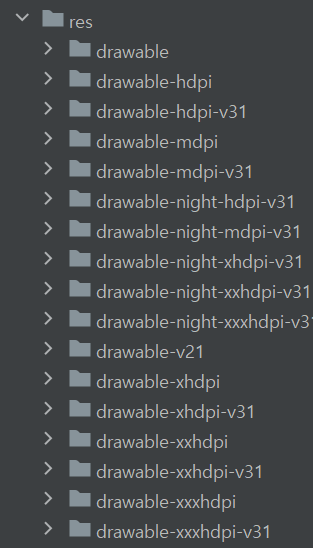
그러면 res 경로에 스플래시와 관련한 drawable폴더들이 생긴다.
결과는 다음과 같다.
[영상]