chatgpt로 simple flutter code 만들기(9) 멀티인스턴스 방지, 새로운 기능 추가.
출시한 Favorite앱을 사용할 때 버그와 아쉬운 기능이 있어 각각 보완하였음.
버그 : 크롬과 유투브에서 공유를 할 때는 메모리에 있던 유휴 인스턴스가 다시 잘 열려서 복제가 일어나지 않지만, 삼성브라우저 같은 브라우저를 사용하여 공유할 경우 인스턴스가 계속 복제되었음.
해결:
- 싱글톤으로 바꿔줌.
1
2
3
4
5
6
7
8
9
10
11
12
class MyApp extends ConsumerStatefulWidget {
  @override
  _MyAppState createState() => _MyAppState();
}

class _MyAppState extends ConsumerState {
  static _MyAppState? _instance;
  _MyAppState() {
    // Singleton pattern: assign this instance if none exists
    _instance ??= this;
  }
...
1
2
3
4
5
6
7
8
9
10
11
12
13
14
15
16
17
18
19
20
  void _handleSharedText(String sharedUrl) async {
    if (_instance != null) {
      // Fetch the title of the shared URL
      String title = await fetchPageTitle(sharedUrl);

      // Check if the title is null and provide a default value if necessary
      String sharedName = title ?? "Shared Site";

      // Use the existing instance to handle the shared text
      _instance!._showSharedContentDialog(sharedUrl, sharedName);
    }
  }


  void _handleSharedImage(String sharedImage) {
    if (_instance != null) {
      // Use the existing instance to handle the shared image
      _instance!._showSelectDrawerAndSiteDialog(sharedImage);
    }
  }
- receive_sharing_Intent 패키지 내에 설명대로 MainActivity.kt를 변경하였음.
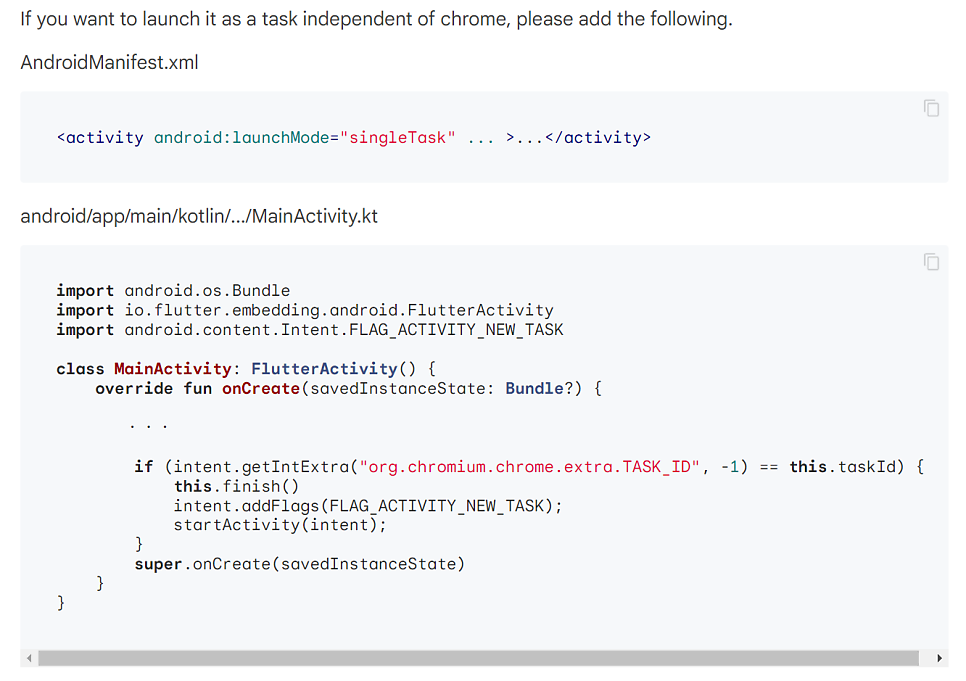
1
2
3
4
5
6
7
8
9
10
11
12
13
14
15
16
17
18
package com.quirkagames.favorites_remake

import android.os.Bundle
import io.flutter.embedding.android.FlutterActivity
import android.content.Intent.FLAG_ACTIVITY_NEW_TASK

class MainActivity: FlutterActivity() {
    override fun onCreate(savedInstanceState: Bundle?) {
        val intent = getIntent()
        if (intent.getIntExtra("org.chromium.chrome.extra.TASK_ID", -1) == this.taskId) {
            this.finish()
            intent.addFlags(FLAG_ACTIVITY_NEW_TASK);
            startActivity(intent);
        }
        super.onCreate(savedInstanceState)
    }
}
아쉬운 기능: ** **브라우저에서 사이트나 유투브 영상을 불러올 때 site name을 일일이 사용자가 변경해줘야 하는 불편함이 있었음. 사이트 개발자 도구에 가서 html을 보니 사이트나 유투브 영상에 이라는 항목에 내가 원하는 그 사이트 이름이 있다는 것을 확인하였음. 첫 번째 을 파싱해서 저장할 수 있도록 기능을 넣기로 하였음.
pubspec.yaml에 http와 html을 추가해주고,
1
2
3
4
5
6
7
8
9
10
11
12
13
14
15
16
17
18
dependencies:
  flutter:
    sdk: flutter

  # The following adds the Cupertino Icons font to your application.
  # Use with the CupertinoIcons class for iOS style icons.
  cupertino_icons: ^1.0.6
  flutter_riverpod: ^2.4.9
  shared_preferences: ^2.2.2
  receive_sharing_intent: ^1.4.5
  image_picker: ^1.0.5
  flutter_image_compress: ^2.1.0
  image: ^4.1.3
  path_provider: ^2.1.1
  path: ^1.8.3
  url_launcher: ^6.2.2
  http: ^1.1.2 # New Added for html parsing
  html: ^0.15.4 # New Added for html parsing
1
2
3
4
5
6
7
8
9
10
11
12
13
14
15
16
Future fetchPageTitle(String url) async {
  try {
    final response = await http.get(Uri.parse(url));
    if (response.statusCode == 200) {
      var document = parse(response.body);
      String? title = document.head?.querySelector('title')?.text;
      return title ?? 'Unknown Title';
    } else {
      printDebug('Error Fetching Title');
      return 'Unknown Title';
    }
  } catch (e) {
    printDebug('Error: $e');
    return 'Unknown Title';
  }
}
1
2
3
4
5
6
7
8
9
10
11
12
13
  void _handleSharedText(String sharedUrl) async {
    if (_instance != null) {
      // Fetch the title of the shared URL
      String title = await fetchPageTitle(sharedUrl);

      // Check if the title is null and provide a default value if necessary
      String sharedName = title ?? "Shared Site";

      // Use the existing instance to handle the shared text
      _instance!._showSharedContentDialog(sharedUrl, sharedName);
    }
  }
fetchPageTitle을 통해서 읽은 title도 기존의 _showSharedContentDialog에 함께 인풋으로 넣어주기로 함. siteNameController 의 text에 그 title을 넣어주면 끝.
1
2
3
4
5
6
7
8
9
10
11
12
13
14
15
16
17
18
19
20
21
22
23
24
25
26
27
28
29
30
31
32
33
34
35
36
37
38
39
40
41
42
43
44
45
46
47
48
49
50
51
52
53
54
55
56
57
58
59
60
61
62
63
64
65
66
67
68
69
70
71
72
73
74
75
  void _showSharedContentDialog(String sharedUrl, String sharedName) {
    printDebug('Shared URL: $sharedUrl');
    bool _isFirstBuild = true;

    showDialog(
      context: navigatorKey.currentState!.context,
      builder: (BuildContext context) {
        // Initialize the selected drawer name and site info
        String? selectedDrawerName;

        Future> asyncFunction() async {
          // Your async operation
          printDebug("Async function called");
          // Get drawer items from the provider
          List drawerItems = ref.watch(drawerItemsNotifierProvider);
          return drawerItems;
        }

        // Set the initially Selected DrawerItem
        if (_isFirstBuild) {
          printDebug("First build");
          _isFirstBuild = false;
          asyncFunction().then((data) {
            // Use setState if you need to update the state
            setState(() {
              // Update the drawerItemProvider with the new selected DrawerItem
              DrawerItem? newSelectedDrawerItem = data
                  .firstWhereOrNull((item) => item.name == selectedDrawerName);

              if (newSelectedDrawerItem != null) {
                ref.read(drawerItemProvider.notifier).state =
                    newSelectedDrawerItem;
              }
              // Update your state based on async data
              printDebug("Async function completed");
            });
          });
        }

        return StatefulBuilder(
          builder: (BuildContext context, StateSetter setState) {
            // Pre-filled values for site name and URL
            TextEditingController siteNameController =
                TextEditingController(text: sharedName);  // new Added Site Name
            TextEditingController siteUrlController =
                TextEditingController(text: sharedUrl);

            // Get drawer items from the provider
            List drawerItems =
                ref.watch(drawerItemsNotifierProvider);

            // Add a default drawer item if the Drawer list is empty
            if (drawerItems.isEmpty) {
              Future.microtask(() {
                DrawerItem defaultDrawerItem = DrawerItem(
                  name: "Shared Sites",
                  sites: [],
                  orderIndex: 0,
                );

                // Update the drawer items with the default item
                ref
                    .read(drawerItemsNotifierProvider.notifier)
                    .add(defaultDrawerItem);
                ref.read(drawerItemProvider.notifier).state = defaultDrawerItem;
              });
            }

            // Set the initial drawer name if available
            selectedDrawerName ??=
                drawerItems.isNotEmpty ? drawerItems.first.name : null;

            return AlertDialog(
              title: Text('Add Shared Site'),
...
이제 외부에서 공유받은 사이트나 영상의 이름이 자동완성되도록 기능이 추가되었다.
자동완성된 사이트이름
오랜만에 gist에 코드 업로드! (나름 따라하기를 바라지 않는 마음에서 가독성을 위한 리펙토링은 되어있지 않습니다 하핫..)
https://gist.github.com/southglory/cb84f738771701da77b51d6a73b71a6a
이 기사는 저작권자의 CC BY 4.0 라이센스를 따릅니다.