Flutter Simple 그림판
1
2
3
4
5
6
7
8
9
10
11
12
13
14
15
16
17
18
19
20
21
22
23
24
25
26
27
28
29
30
31
32
33
34
35
36
37
38
39
40
41
42
43
44
45
46
47
48
49
50
51
52
53
54
55
56
57
58
59
60
61
62
63
64
65
66
67
68
69
70
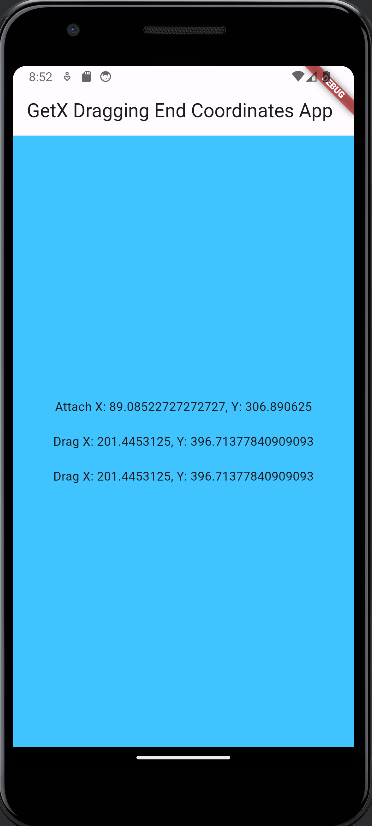
import 'package:flutter/material.dart';
import 'package:get/get.dart';

class TapController extends GetxController {
  var coordinates = 'Tap Somewhere'.obs;
  var detachmentCoordinates = ''.obs;
  var dragCoordinates = ''.obs; // Add this line for drag coordinates

  void updateCoordinates(String newCoordinates) {
    coordinates.value = newCoordinates;
  }

  void updateDetachmentCoordinates(String newCoordinates) {
    detachmentCoordinates.value = newCoordinates;
  }

  // Add this method for updating drag coordinates
  void updateDragCoordinates(String newCoordinates) {
    dragCoordinates.value = newCoordinates;
  }
}

void main() {
  runApp(MyApp());
}
class MyApp extends StatelessWidget {
  @override
  Widget build(BuildContext context) {
    final TapController tapController = Get.put(TapController());

    return MaterialApp(
      home: Scaffold(
        appBar: AppBar(
          title: Text('GetX Dragging End Coordinates App'),
        ),
        body: GestureDetector(
          onTapDown: (TapDownDetails details) {
            tapController.updateCoordinates(
              'Attach X: ${details.globalPosition.dx}, Y: ${details.globalPosition.dy}',
            );
          },
          onPanUpdate: (DragUpdateDetails details) {
            // Keep updating the drag coordinates as the user drags
            tapController.updateDragCoordinates(
              'Drag X: ${details.globalPosition.dx}, Y: ${details.globalPosition.dy}',
            );
          },
          onPanEnd: (DragEndDetails details) {
            // Use the last known drag position as the detachment coordinates
            tapController.updateDetachmentCoordinates(tapController.dragCoordinates.value);
          },
          child: Container(
            color: Colors.lightBlueAccent,
            alignment: Alignment.center,
            child: Obx(() => Column(
              mainAxisSize: MainAxisSize.min,
              children: [
                Text(tapController.coordinates.value), // Attach coordinates
                SizedBox(height: 20), // Provide some spacing
                Text(tapController.detachmentCoordinates.value), // Detach (end of drag) coordinates
                SizedBox(height: 20), // Provide some spacing
                Text(tapController.dragCoordinates.value), // Continuous drag coordinates
              ],
            )),
          ),
        ),
      ),
    );
  }
}
1
2
3
4
5
6
7
8
9
10
11
12
13
14
15
16
17
18
19
20
21
22
23
24
25
26
27
28
29
30
31
32
33
34
35
36
37
38
39
40
41
42
43
44
45
46
47
48
49
50
51
52
53
54
55
56
57
58
59
60
61
62
63
64
65
66
67
68
69
70
71
import 'package:flutter/material.dart';
import 'package:get/get.dart'; // Ensure GetX is still used for dependency injection.

class TapController extends ValueNotifier> {
  TapController() : super([]);

  void addPoint(Offset newPoint) {
    value.add(newPoint);
    notifyListeners();
  }

  void clearPoints() {
    value.clear();
    notifyListeners();
  }
}

void main() {
  runApp(MyApp());
}

class MyApp extends StatelessWidget {
  @override
  Widget build(BuildContext context) {
    final TapController tapController = Get.put(TapController());

    return MaterialApp(
      home: Scaffold(
        appBar: AppBar(
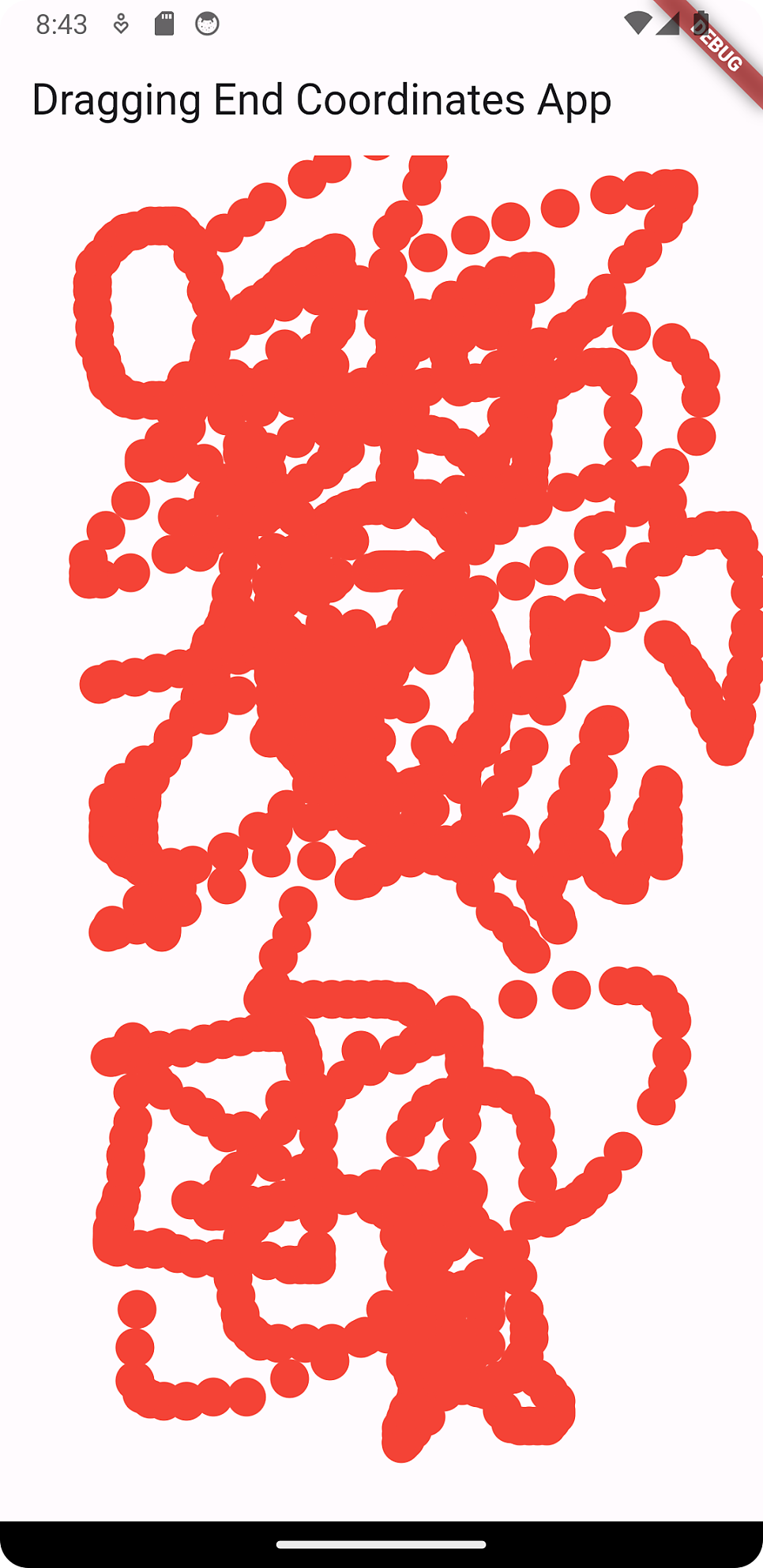
          title: Text('Dragging End Coordinates App'),
        ),
        body: GestureDetector(
          onTapDown: (TapDownDetails details) => tapController.addPoint(details.localPosition),
          onPanUpdate: (DragUpdateDetails details) => tapController.addPoint(details.localPosition),
          child: ValueListenableBuilder>(
            valueListenable: tapController,
            builder: (context, points, child) {
              return CustomPaint(
                painter: CirclePainter(points: points),
                child: Container(
                  width: double.infinity,
                  height: double.infinity,
                  color: Colors.transparent,
                ),
              );
            },
          ),
        ),
      ),
    );
  }
}

class CirclePainter extends CustomPainter {
  final List points;
  CirclePainter({required this.points});

  @override
  void paint(Canvas canvas, Size size) {
    final paint = Paint()
      ..color = Colors.red
      ..style = PaintingStyle.fill;
    for (var point in points) {
      canvas.drawCircle(point, 10.0, paint);
    }
  }

  @override
  bool shouldRepaint(covariant CirclePainter oldDelegate) => true;
}
이 기사는 저작권자의 CC BY 4.0 라이센스를 따릅니다.