vscode 확장 패키지 만들고 마켓에 올리기. python-package-definition-navigator
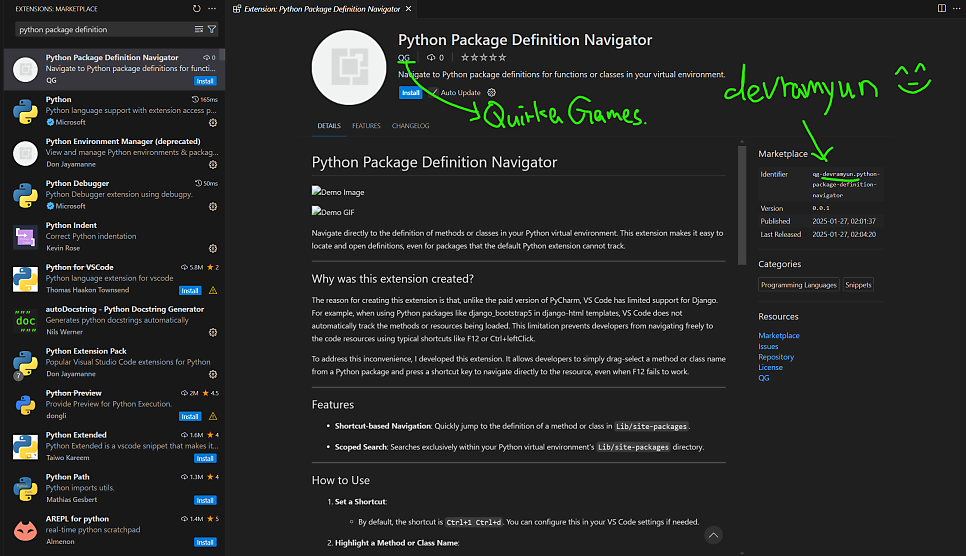
- 만든 이유 ** **Why was this extension created? The reason for creating this extension is that, unlike the paid version of PyCharm, VS Code has limited support for Django. For example, when using Python packages like django_bootstrap5 in django-html templates, VS Code does not automatically track the methods or resources being loaded. This limitation prevents developers from navigating freely to the code resources using typical shortcuts like F12 or Ctrl+Click. To address this inconvenience, I developed this extension. It allows developers to simply drag-select a method or class name from a Python package and press a shortcut key to navigate directly to the resource, even when F12 fails to work.
왜 이 확장을 만들었나요? 이 확장을 만든 이유는, 유료 버전의 PyCharm과는 다르게 VSCode는 Django에 대한 지원이 부족하기 때문입니다. 예를 들어, django-html 템플릿에서 django_bootstrap5와 같은 Python 패키지의 메소드를 로드할 때, VS Code는 해당 메소드나 리소스를 자동으로 추적하지 못합니다. 이로 인해 F12, Ctrl+클릭 등의 단축키를 사용해 코드 리소스를 자유롭게 이동하는 데 제약이 생깁니다. 이 불편함을 해결하기 위해 이 확장을 개발했습니다. 이제 F12가 작동하지 않는 Python 패키지의 메소드라도, 단순히 드래그하고 단축키를 누르면 해당 리소스로 바로 이동할 수 있습니다.
[영상]
GitHub - southglory/python-package-definition-navigator Contribute to southglory/python-package-definition-navigator development by creating an account on GitHub. Contribute to southglory/python-package-definition-navigator development by creating an account on GitHub.
- 업로드 화면
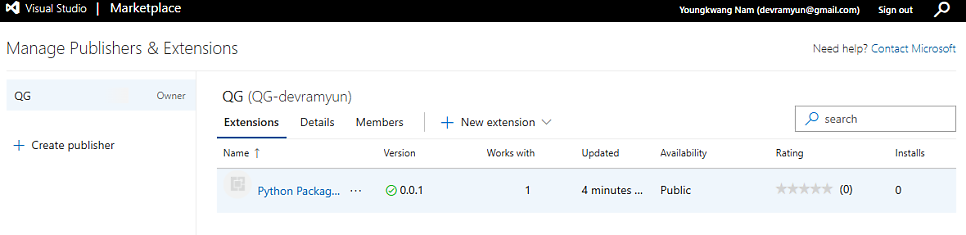
- 설치 링크:
https://marketplace.visualstudio.com/items?itemName=QG-devramyun.python-package-definition-navigator
Python Package Definition Navigator - Visual Studio Marketplace Extension for Visual Studio Code - Navigate to Python package definitions for functions or classes in your virtual environment. Extension for Visual Studio Code - Navigate to Python package definitions for functions or classes in your virtual environment.
- 홍보
https://www.inflearn.com/community/questions/1504170
강의 듣다가 유료pycharm에 비해 vscode지원기능이 아쉬워… - 인프런 | 커뮤니티 질문&답변 누구나 함께하는 인프런 커뮤니티. 모르면 묻고, 해답을 찾아보세요. 누구나 함께하는 인프런 커뮤니티. 모르면 묻고, 해답을 찾아보세요.