C++ 에서 dll 만들어서 사용하기(5) - cmake로 openCV 정적 라이브러리 만들기

https://blog.naver.com/PostView.nhn?blogId=tkachdtk40&logNo=222190422759
windows에서 opencv (정적으로)사용하기! opencv란? => 실시간 컴퓨터 비전을 목적으로 한 프로그래밍 라이브러리이다. 개발은 인텔에서 했… opencv란? => 실시간 컴퓨터 비전을 목적으로 한 프로그래밍 라이브러리이다. 개발은 인텔에서 했…
https://hl4rny.tistory.com/366
Visual Studio 2017, Python 3용으로 OpenCV 3.4.2 빌드 하기 (opencv_contrib 포함) 출처: http://webnautes.tistory.com/1036 OpenCV's extra modules( opencv_contrib )을 포함하여 OpenCV 3.4.2 라이브러리를 Visual Studio 2017와 Python 3.7에서 사용하기 위해 컴파일한 과정을 다루고 있습니다. 윈도우즈용으로 미리 빌드된 OpenCV 라이브러리에는 extra 모듈(opencv_contrib)이 빠져있습니다. SURF, SIFT(xfeatures2d) 등의 OpenCV 모듈을 사용하려면 https://github.com/opencv/o… 출처: http://webnautes.tistory.com/1036 OpenCV's extra modules( opencv_contrib )을 포함하여 OpenCV 3.4.2 라이브러리를 Visual Studio 2017와 Python 3.7에서 사용하기 위해 컴파일한 과정을 다루고 있습니다. 윈도우즈용으로 미리 빌드된 OpenCV 라이브러리에는 extra 모듈(opencv_contrib)이 빠져있습니다. SURF, SIFT(xfeatures2d) 등의 OpenCV 모듈을 사용하려면 https://github.com/opencv/o…
cmake를 설치해서 실행하고,
Download CMake You can either download binaries or source code archives for the latest stable or previous release or access the current development (aka nightly) distribution through Git. This software may not be exported in violation of any U.S. export laws or regulations. For more information regarding Export Co… You can either download binaries or source code archives for the latest stable or previous release or access the current development (aka nightly) distribution through Git. This software may not be exported in violation of any U.S. export laws or regulations. For more information regarding Export Co…
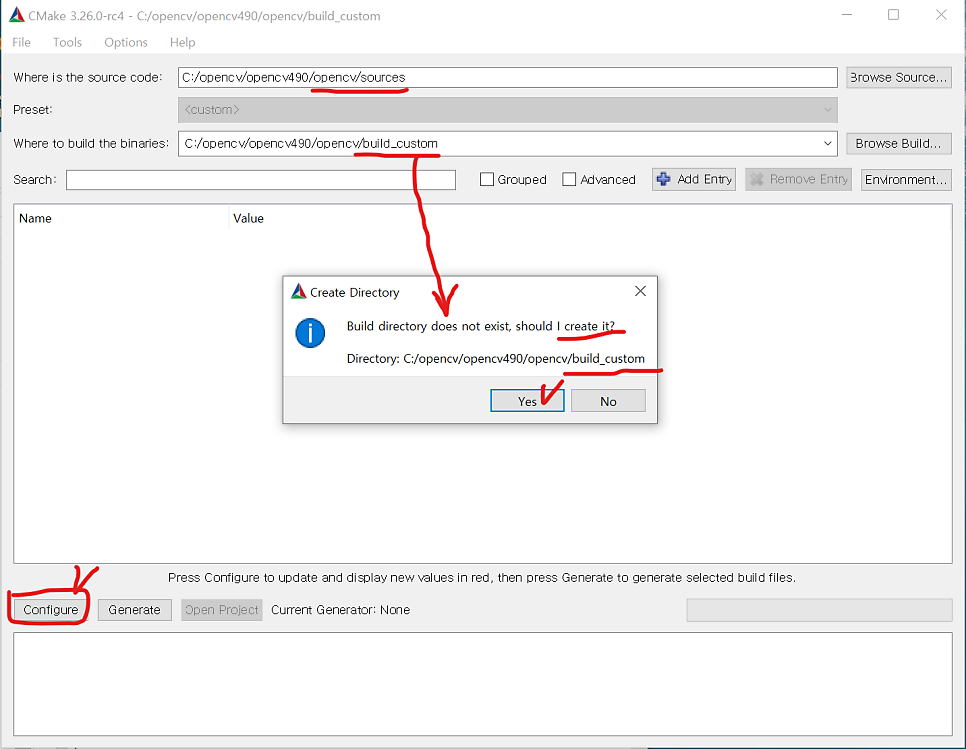
'where is the source code' 에는 소스 코드가 위치한 경로를 입력하고, 'where to build the binaries'에는 빌드할 경로를 입력. 빌드 경로에 없는 경로를 입력해도 새로 생성되니 괜찮음.
'Configure'를 눌러서 목록을 불러옴.
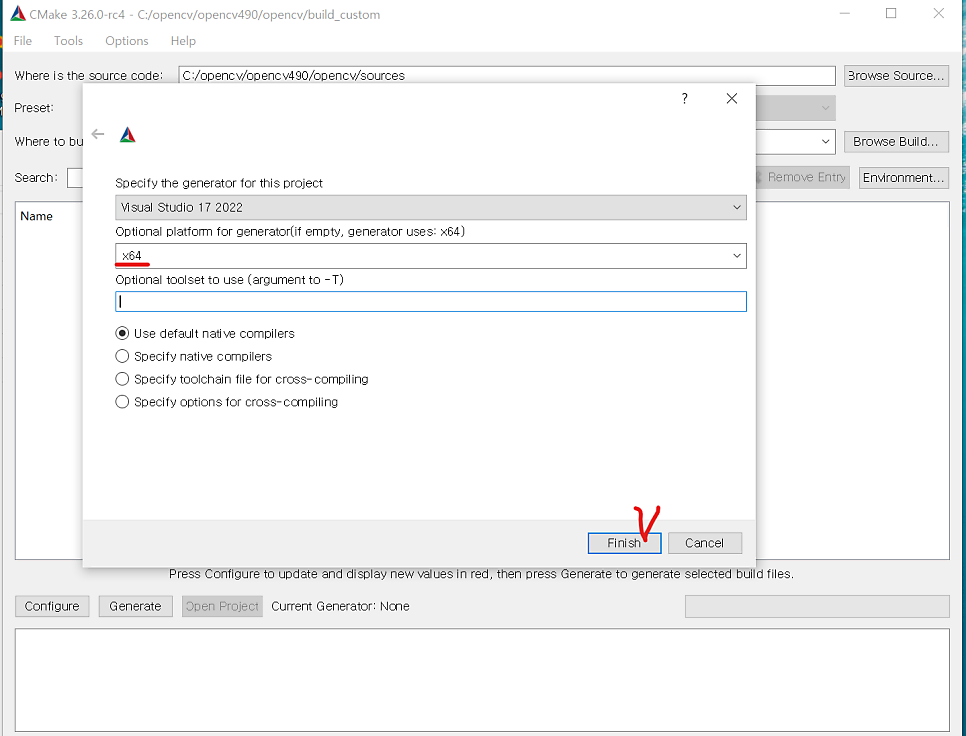
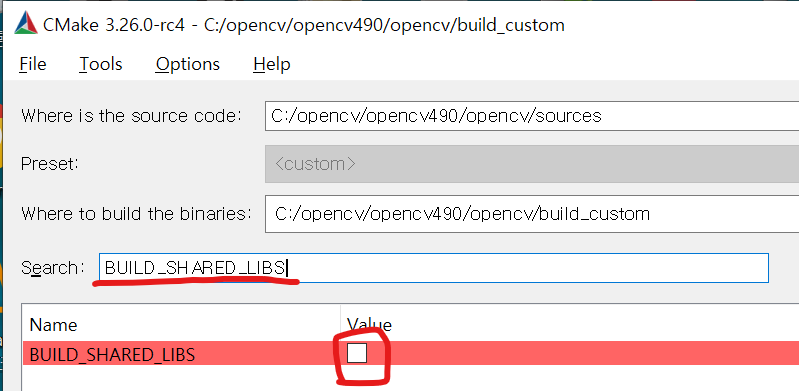
이제 Search에 변경하려는 키값을 검색해서 boolean value를 정해줌.
1
2
3
4
5
6
7
8
9
10
11
12
13
14
15
16
17
18
19
20
21
22
23
24
25
26
27
28
29
BUILD_SHARED_LIBS
=False
BUILD_WITH_STATIC_CRT
=True
WITH_OPENCL
=False
WITH_OPENGL
=False
WITH_OPENCLAMDBLAS
=False
WITH_OPENCLAMDFFT
=False
WITH_DIRECTX
=False
WITH_VFW
=FALSE
WITH_CUDA
=False
WITH_MSMF
=False
WITH_IPP
=True
BUILD_TESTS
=False
BUILD_PERF_TESTS
=False
BUILD_opencv_world
=False
다 수정했으면** 'Configure', 'Generate', 'Open Project'**를 순차적으로 진행.
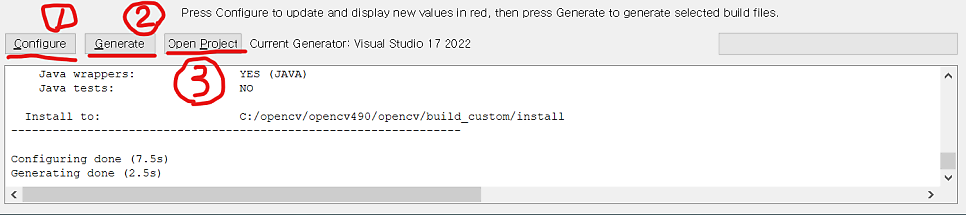
Open Project를 하면 visual studio에서 'OpenCV'솔루션이 열림.
솔루션 구성을 Release로 변경.
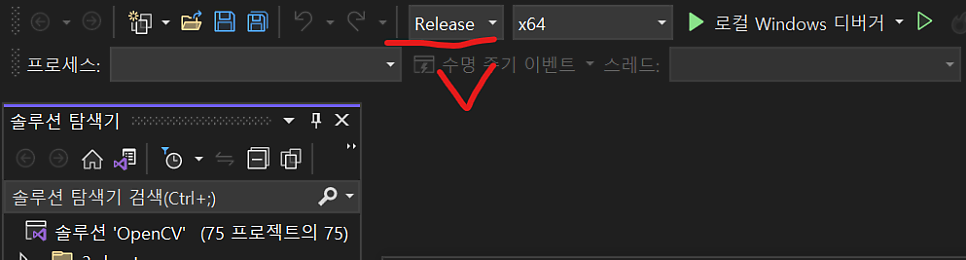
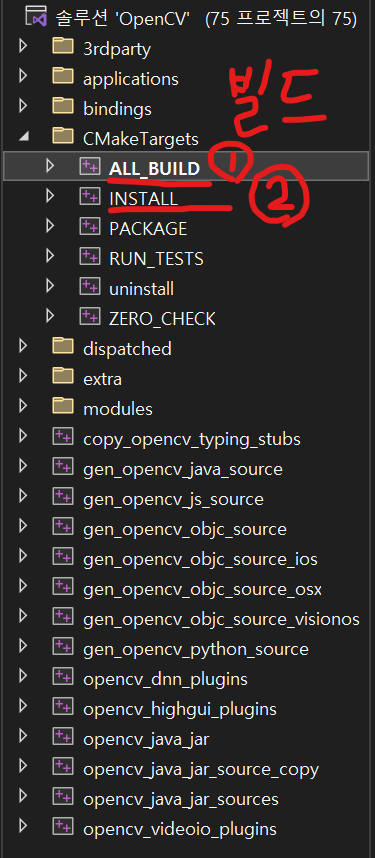
그 다음 'CmakeTargets' - 'All_BUILD' 를 우클릭해서 빌드. 완료되면 다시 'INSTALL'을 우클릭해서 빌드.





공통적으로 파이썬 디버그용 라이브러리는 생성되지 않는 오류 등 문제가 조금 있음.
이제 만든 정적 라이브러리를 사용하도록 세팅하고 C++ 예제 코드를 작성하여 테스트해야 함.
아쉽지만 이번 포스팅은 여기서 마치고, 더 진행하고자 할 경우
포스팅 처음에 소개한 출처 글을 이어서 참조할 것.