chatgpt로 simple flutter code 만들기(13) - 업데이트 진행 및 에로사항
- 유투브 썸네일, 블로그 썸네일 등을 자동으로 완성해주는 기능은 완성함.
loadImage 위젯의 loadImageByType()함수를 수정해서
기존의 file디렉토리 내 이미지 로딩과 asset이미지 로딩 외에도 network이미지 로딩 로직을 추가했다.
그래서 이미지를 reformat, resize, save하는 단계를 거치지 않고도
network의 image url을 그대로 사용하여 이미지를 화면 상에 (원하는 사이즈로) 로드할 수 있다.
1
2
3
4
5
6
7
8
9
10
11
12
13
14
15
16
17
18
19
20
21
22
23
24
25
26
27
28
29
30
31
32
33
34
35
36
37
38
39
40
41
42
43
44
45
46
47
48
49
50
51
52
53
54
55
56
57
58
59
60
61
62
Widget loadImage(WidgetRef ref, String imagePath,
    {double? width,
    double? height,
    bool fullScreen = false,
    Function? onFail}) {
  BoxFit fit = fullScreen ? BoxFit.fitWidth : BoxFit.cover;

  // Function to load the default image
  Image loadDefaultImage() {
    // Call the callback function if provided
    onFail?.call();
    printDebug("Resetting to default image");
    // Return the default image if the file does not exist
    return Image.asset('assets/images/default.ico',
        width: width, height: height, fit: fit);
  }

  Image loadImageByType() {
    // Check if the imagePath is a network URL
    if (Uri.parse(imagePath).isAbsolute && !imagePath.startsWith('file://')) {
      // Load image from the network
      return Image.network(
        imagePath,
        width: width,
        height: height,
        fit: fit,
        errorBuilder: (context, error, stackTrace) {
          printDebug("Failed to load network image: $error");
          return loadDefaultImage();
        },
      );
    } else if (imagePath.startsWith('assets/')) {
      // Load image from assets
      return Image.asset(imagePath, width: width, height: height, fit: fit);
    } else {
      // Load image from file system
      File imageFile = File(imagePath);
      if (imageFile.existsSync() && imageFile.lengthSync() > 0) {
        return Image.file(imageFile, width: width, height: height, fit: fit,
            errorBuilder: (context, error, stackTrace) {
              printDebug("Failed to load file image: $error");
              return loadDefaultImage();
            });
      } else {
        printDebug("File does not exist: $imagePath");
        return loadDefaultImage();
      }
    }
  }


  // Get the state
  final imageProcessingState = ref.watch(imageProcessingProvider);

  if (imageProcessingState.imagePath == imagePath) {
    // If the image is being processed, show a progress indicator
    return Center(child: CircularProgressIndicator());
  } else {
    // Otherwise, load the image
    return loadImageByType();
  }
}
그리고 사이트 url을 공유받을 때 콜하는 _handleSharedText()함수에서,
기존에는 유투브 영상인지만 판단해서 특별하게 처리했다면
이제는 보편적인 홈페이지의 썸네일을 뽑아내는 함수인 fetchThumbnailUrl()함수를 추가했다.
이 함수를 거치면
홈페이지의 썸네일이 존재한다면 곧잘 이미지를 뽑아낸다.
1
2
3
4
5
6
7
8
9
10
11
12
13
14
15
16
17
18
19
20
21
22
23
24
25
26
27
28
29
30
31
32
33
34
35
36
37
38
39
40
41
42
43
44
45
46
47
48
49
50
51
52
53
54
55
56
57
58
59
60
61
// Improved function to handle shared URLs and YouTube videos
void _handleSharedText(String sharedUrl) async {
if (_instance != null) {
String title = await fetchPageTitle(sharedUrl);
String? thumbnailUrl;
if (sharedUrl.contains("youtube.com") || sharedUrl.contains("youtu.be")) {
thumbnailUrl = await fetchYouTubeThumbnail(sharedUrl);
_instance!._showSharedYouTubeContentDialog(sharedUrl, title, thumbnailUrl ?? '');
} else {
thumbnailUrl = await fetchThumbnailUrl(sharedUrl);
_instance!._showSharedContentDialog(sharedUrl, title, thumbnailUrl ?? '');
}
}
}
// Function to fetch YouTube video thumbnail with fallback
Future fetchYouTubeThumbnail(String url) async {
try {
String videoId = extractYouTubeId(url);
if (videoId.isEmpty) return null;
String thumbnailUrl = 'https://img.youtube.com/vi/$videoId/maxresdefault.jpg';
// Check if the URL is valid
final response = await http.get(Uri.parse(thumbnailUrl));
if (response.statusCode == 200) {
return thumbnailUrl;
} else {
return 'https://img.youtube.com/vi/$videoId/default.jpg'; // Fallback thumbnail
}
} catch (e) {
printDebug("Error fetching YouTube thumbnail: $e");
return null;
}
}
// Function to fetch page thumbnail from URL
Future fetchThumbnailUrl(String blogUrl) async {
try {
final response = await http.get(Uri.parse(blogUrl));
if (response.statusCode == 200) {
var document = parse(response.body);
var metaTag = document.querySelector('meta[property="og:image"]');
return metaTag?.attributes['content'];
}
} catch (e) {
printDebug("Error fetching thumbnail: $e");
}
return null;
}
// Function to extract YouTube video ID from URL
String extractYouTubeId(String url) {
RegExp regExp = RegExp(
r"((?<=(v|V)/)|(?<=be/)|(?<=(\?|\&)v=)|(?<=embed/))([\w-]+)",
caseSensitive: false,
multiLine: false,
);
Match? match = regExp.firstMatch(url);
return match?.group(0) ?? '';
}
- 이미지 공유를 할 때에 siteName에 관련한 자잘한 기능을 보완했고, pixel overflow도 해결하였음.
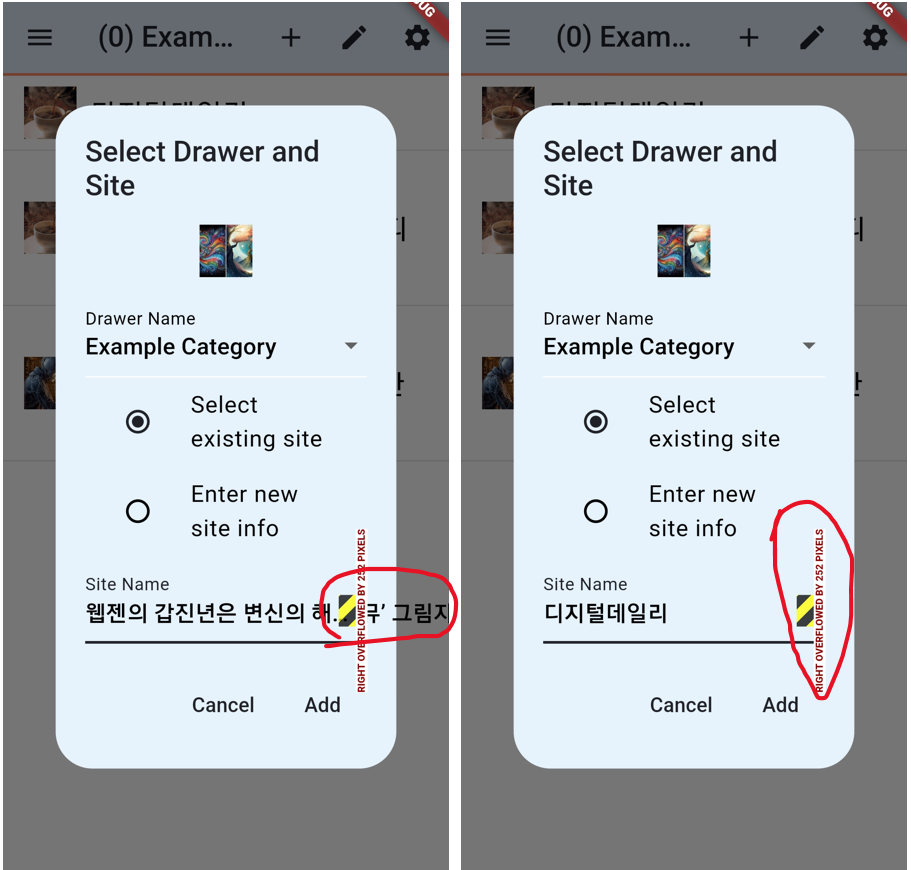
해결 방법은,
1
2
3
4
5
6
7
8
9
10
11
12
13
14
15
16
17
18
19
20
21
22
23
24
25
26
27
DropdownButtonFormField(
  isExpanded: true, // This ensures the dropdown matches the parent width
  value: selectedSiteInfo,
  decoration: InputDecoration(labelText: 'Site Name'),
  items: drawerItems
      .firstWhere((drawer) => drawer.name == selectedDrawerName)
      .sites
      .map((SiteInfo site) {
    return DropdownMenuItem(
      value: site,
      // Wrap the text with Tooltip and constrain the width
      child: Tooltip(
        message: site.siteName,
        child: Text(
          site.siteName,
          overflow: TextOverflow.ellipsis, // Use ellipsis for text overflow
        ),
      ),
    );
  }).toList(),
  onChanged: (SiteInfo? newValue) {
    setState(() {
      selectedSiteInfo = newValue;
    });
  },
),
DropdownButtonFormField 위젯에서 “isExpanded: true” 를 설정해주면 됨.
그리고 text는 “overflow: TextOverflow.ellipsis” 를 설정하는 방법도 있지만,
나의 경우는
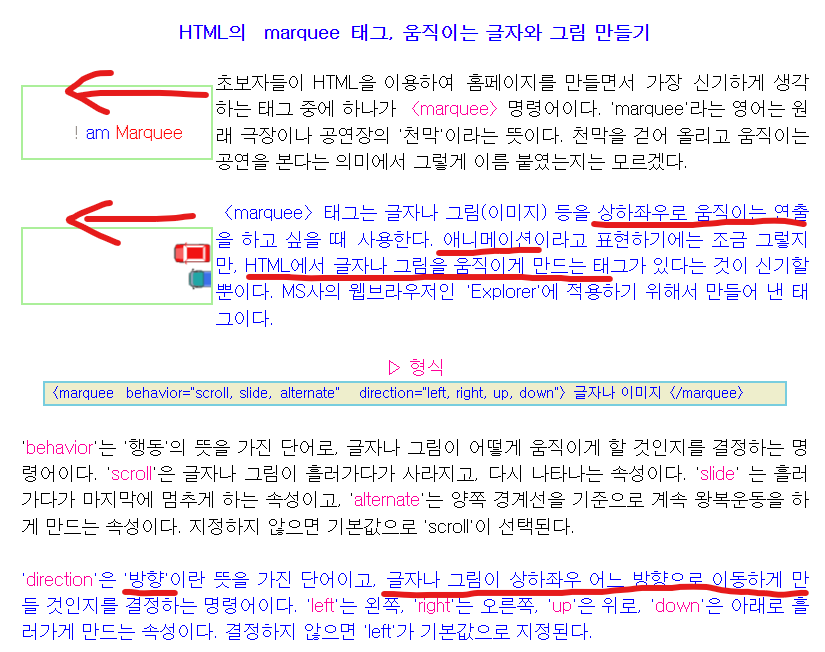
marquee라는 텍스트애니메이션을 사용했다. chatgpt가 알려주었다.
| me: In siteName, make sure that letters that escape the box are hidden, and as the letters flow, you can see the last part of the long name if you wait. |
|---|
| chatgpt: To ensure that long site names in a DropdownButtonFormField don't overflow and instead scroll horizontally, allowing users to see the end of a long string, you can make use of the Ticker class and an AnimationController to create a marquee effect. |
1
2
3
4
                          return DropdownMenuItem(
                            value: site,
                            child: MarqueeWidget(text: site.siteName), // Wrap text with MarqueeWidget
                          );
1
2
3
4
5
6
7
8
9
10
11
12
13
14
15
16
17
18
19
20
21
22
23
24
25
26
27
28
29
30
31
32
33
34
35
36
37
38
39
40
41
42
43
44
45
46
47
48
49
50
51
52
53
54
55
56
57
58
59
60
61
62
63
64

class MarqueeWidget extends StatefulWidget {
  final String text;
  final TextStyle? style;
  final Axis direction;
  final Duration animationDuration, backDuration, pauseDuration;

  MarqueeWidget({
    required this.text,
    this.style,
    this.direction = Axis.horizontal,
    this.animationDuration = const Duration(seconds: 2),
    this.backDuration = const Duration(seconds: 3),
    this.pauseDuration = const Duration(seconds: 1),
  });

  @override
  _MarqueeWidgetState createState() => _MarqueeWidgetState();
}

class _MarqueeWidgetState extends State {
  ScrollController scrollController = ScrollController(initialScrollOffset: 0.0);

  @override
  void initState() {
    super.initState();
    WidgetsBinding.instance.addPostFrameCallback((_) {
      if (scrollController.hasClients) {
        scroll();
      }
    });
  }

  Future scroll() async {
    while (true) {
      await Future.delayed(widget.pauseDuration);
      if (scrollController.hasClients) {
        await scrollController.animateTo(
          scrollController.position.maxScrollExtent,
          duration: widget.animationDuration,
          curve: Curves.easeInOut,
        );
      }
      await Future.delayed(widget.pauseDuration);
      if (scrollController.hasClients) {
        await scrollController.animateTo(
          0.0,
          duration: widget.backDuration,
          curve: Curves.easeInOut,
        );
      }
    }
  }

  @override
  Widget build(BuildContext context) {
    return SingleChildScrollView(
      scrollDirection: widget.direction,
      controller: scrollController,
      child: Text(widget.text, style: widget.style),
    );
  }
}
[영상]
해결할 수 없는 문제.
몇 가지 사이트를 테스트해보던 중, 해결할 수 없는 부분을 발견했다.
바로 어느 특정 사이트에서는 크롬브라우저에서 공유하기를 통해 url을 뽑아낼 때, ** ** baseUrl만 내보내기가 가능했다. (삼성브라우저에서는 정상적으로 내보낸다)
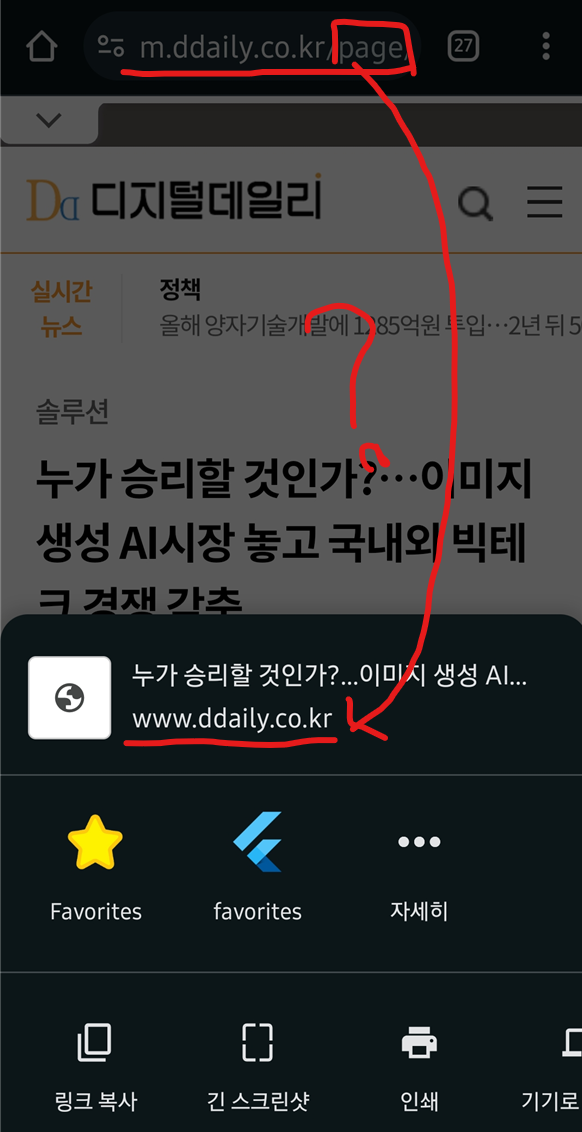
이 부분은 나의 플러터 앱과는 전혀 상관이 없는 부분이고,
해당 홈페이지의 개발자가 홈페이지를 그런 방식으로 만들었기 때문에 이를 해결하기 위해서는 그 개발자한테 문의해서 고쳐야 한다고 한다.
참 곤란하다.
이런 경우까지 커버하려면 나의 즐겨찾기 앱도, '스크린 녹화'앱처럼 타 앱의 위에서 백그라운드로 돌아가는 플로팅 공유 버튼을 만들던가 해야할 것 같다.
하지만 거기까지 개발하는 것은 매우 지나친 오버인 것 같기 때문에 하지 않을 계획이다.
+추가 (20240112): 그런데 웹뷰로 그 플로팅 공유버튼을 만들고야 말았다. 웹뷰 패키지에 딱 좋응 버튼이 예제에 있길래 그 버튼에 공유기능 넣어서 구현했다..ㅎㅎ😅 단, 이 기능을 쓰려면 크롬같은 외부 브라우저가 아닌 인앱 웹뷰 브라우저로 브라우징을 해야한다.