Flutter - Protect Background Snapshots
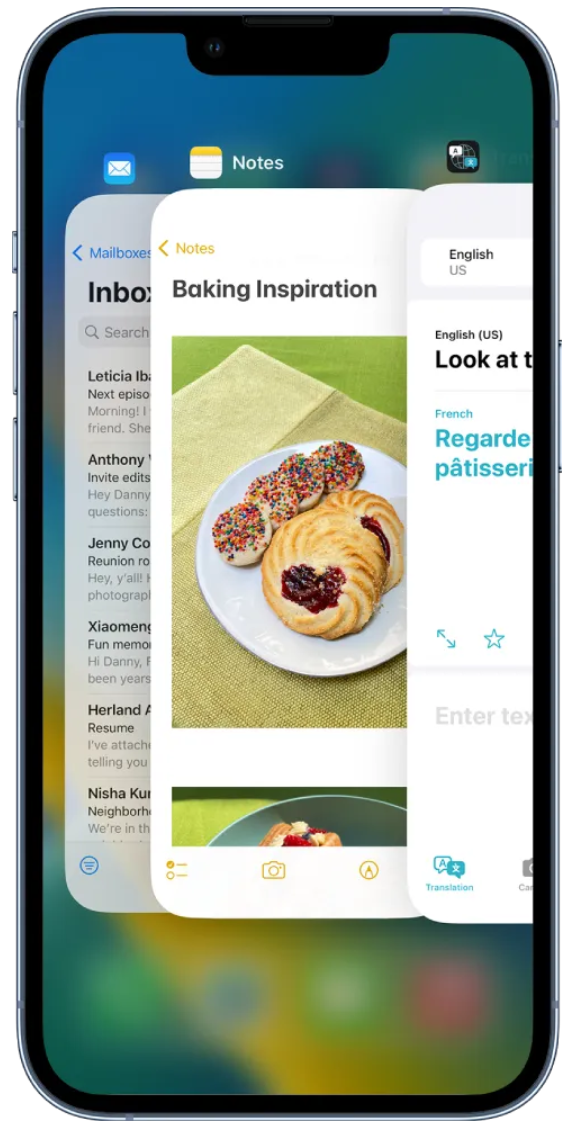
앱에서 작업 전환 메뉴 화면(App switcher menu)를 열어서 다른 앱으로 전환할 때가 있습니다. 이 때 보이는 앱 내 화면은 바로 '백그라운드 스냅샷'이라고 부릅니다.
여기에는 은행앱처럼 보안이 중요한 앱일 경우 스냅샷이 중요 정보를 보여주지 않도록 하는 것이 중요합니다.
작업 전환 메뉴를 띄울 때 Flutter의 라이프사이클 내에서 어떤 상태 변화가 일어나는지 알아봅시다.
1
2
3
4
5
6
7
8
9
10
11
12
13
14
15
16
17
18
19
20
21
22
23
24
25
26
27
28
29
30
31
32
33
34
35
36
37
38
39
40
41
42
43
44
45
46
47
48
49
50
51
52
53
54
55
56
57
58
59
60
61
62
63
64
65
66
67
68
69
70
71
72
73
74
75
76
77
78
import 'package:flutter/material.dart';

void main() => runApp(MyApp());

class MyApp extends StatelessWidget {
  @override
  Widget build(BuildContext context) {
    return MaterialApp(
      title: 'Flutter Lifecycle Demo',
      home: MyHomePage(),
    );
  }
}

class MyHomePage extends StatefulWidget {
  @override
  _MyHomePageState createState() => _MyHomePageState();
}

class _MyHomePageState extends State with WidgetsBindingObserver {
  @override
  void initState() {
    super.initState();
    WidgetsBinding.instance.addObserver(this);
  }

  @override
  void dispose() {
    WidgetsBinding.instance.removeObserver(this);
    super.dispose();
  }

  @override
  void didChangeAppLifecycleState(AppLifecycleState state) {
    super.didChangeAppLifecycleState(state);
    // Handle different lifecycle states
    switch (state) {
      case AppLifecycleState.resumed:
        // App is visible and focused
        print('AppLifecycleState.resumed');
        break;
      case AppLifecycleState.inactive:
        // App is in an inactive state and is not receiving user input
        print('AppLifecycleState.inactive');
        break;
      case AppLifecycleState.paused:
        // App is not visible at all
        print('AppLifecycleState.paused');
        break;
      case AppLifecycleState.detached:
        // App is still hosted on a flutter engine but is detached from any host views
        print('AppLifecycleState.detached');
        break;
      case AppLifecycleState.hidden:
        // App is still visible but not focused
        printDebug("AppLifecycleState.hidden");
    }
  }

  @override
  Widget build(BuildContext context) {
    return Scaffold(
      appBar: AppBar(
        title: Text('Flutter Lifecycle Demo'),
      ),
      body: Center(
        child: Text('Hello World!'),
      ),
    );
  }
}

void printDebug(Object message) {
  if (kDebugMode) {
    print(message);
  }
}
만약 provider로 상태관리를 하고 있어서 State가 아닌, ConsumerState을 사용 중이었더라도 똑같습니다.
with WidgetsBindingObserver
“State with WidgetsBindingObserver { }” ** **대신에 “ConsumerState with WidgetsBindingObserver { }”
이제 앱 전환메뉴를 띄워봅니다.
1
2
3
4
5
// 앱 전환메뉴를 열 때,

AppLifecycleState.inactive
AppLifecycleState.hidden
AppLifecycleState.paused
다시 내 앱으로 돌아옵니다.
1
2
3
4
5
// 앱 전환메뉴에서 다시 앱으로 돌아올 때,

AppLifecycleState.hidden
AppLifecycleState.inactive
AppLifecycleState.resumed
이제 본격적으로 앱 전환메뉴에서 백그라운드 스냅샷을 가리기 위한 조치를 취해봅시다.
역시 쓸 수 있는 패키지가 있으면 쓰는 게 이득이죠?
두 가지 패키지를 찾을 수 있었습니다.
그런데 하나는 '좋아요'수가 더 많고 유명하지만 score가 낮네요.
그래서 score가 더 높은 쪽을 사용해봐야겠습니다.

https://pub.dev/packages/secure_app_switcher
secure_app_switcher | Flutter Package Apply a safe masking effect to the app screen on the app switcher or task list. Apply a safe masking effect to the app screen on the app switcher or task list.
https://pub.dev/packages/secure_application
secure_application | Flutter Package Secure app content visibility when user leave app. It will hide content in the app switcher and display a frost barrier above locked content when the user get backs Secure app content visibility when user leave app. It will hide content in the app switcher and display a frost barrier above locked content when the user get backs

이어서 해보겠습니다.
secura_app_switcher 패키지를 준비해줍니다.
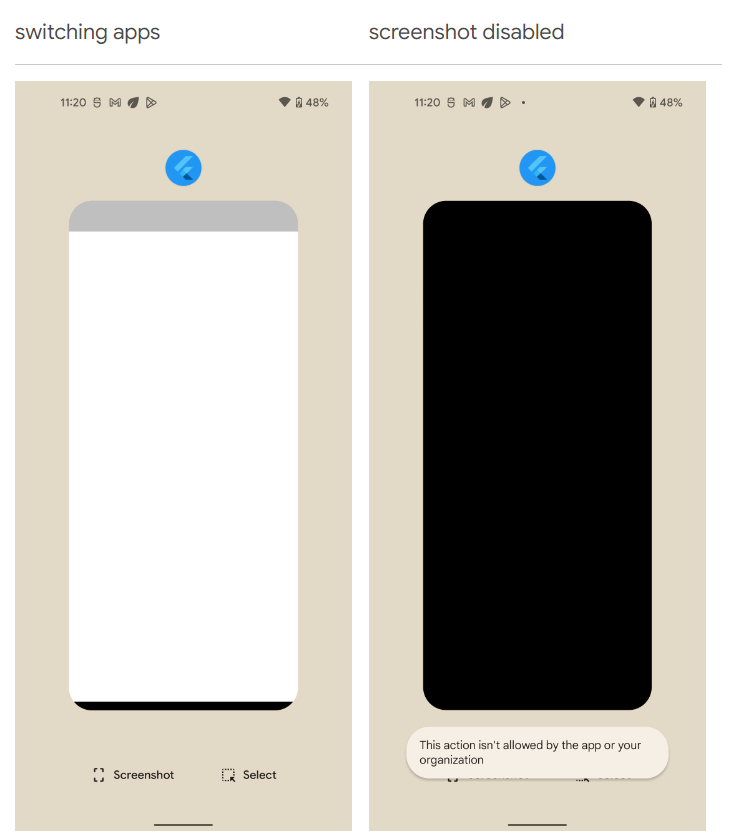
화면 전환 메뉴 뿐만 아니라, 캡처 방지도 할 수가 있네요.
하지만 제 앱은 캡처방지는 필요 없기 때문에,
화면 전환메뉴에 갈 때에만 이 패키지의 기능을 활성화해주고
앱으로 다시 돌아오면 기능을 비활성화 하겠습니다.
방지기능 활성화 할 때는
inactive, hidden, paused 중 어디에 넣어도 상관 없는 것 같습니다.
저는 그냥 inactive에 넣겠습니다.
1
2
3
4
5
      case AppLifecycleState.inactive:
        // App is in an inactive state and is not receiving user input
        SecureAppSwitcher.on();
        printDebug('AppLifecycleState.inactive');
        break;
그런데 그냥 단순히 SecureAppSwitcher.on();만 호출하면,
변경사항이 적용되기 위해서는 화면 전환 메뉴를 두 번 왕복해야 했습니다.
이걸 한 번에 되도록 해야하기 때문에 **Future.delayed(1초), **
또는** Future.microTask**를 사용해서 시도해보았는데
둘 다 안 되었습니다.. **
1
2
3
4
5
6
7
8
9
10
11
12
13
14
15
16
17
/// The class does not need to be instantiated directly
class SecureAppSwitcher {
  static const _methodChannel = MethodChannel('secure_app_switcher');

  /// Enable screen mask.
  /// For iOS, a mask style can be specified. Default is [SecureMaskStyle.light].
  static void on({SecureMaskStyle iosStyle = SecureMaskStyle.light}) {
    _methodChannel.invokeMethod('on', {
      'style': iosStyle.index,
    });
  }

  /// Disable screen mask.
  static void off() {
    _methodChannel.invokeMethod('off');
  }
}
만약 비동기적으로 처리하도록 구현되어 있지 않은 패키지 잘못이 아니라 native 기능을 사용하려다보니 어쩔 수 없는 부분이었다고 하면,
AppLifecycleState 이벤트에서 처리하려고 했던 제 생각 자체가 잘못되었을 수도 있을 것 같습니다.
그냥 패키지 예제처럼 on버튼, Off버튼 눌러서 했으면 문제 없을 겁니다.
https://pub.dev/packages/secure_app_switcher/example
secure_app_switcher | Flutter Package Apply a safe masking effect to the app screen on the app switcher or task list. Apply a safe masking effect to the app screen on the app switcher or task list.
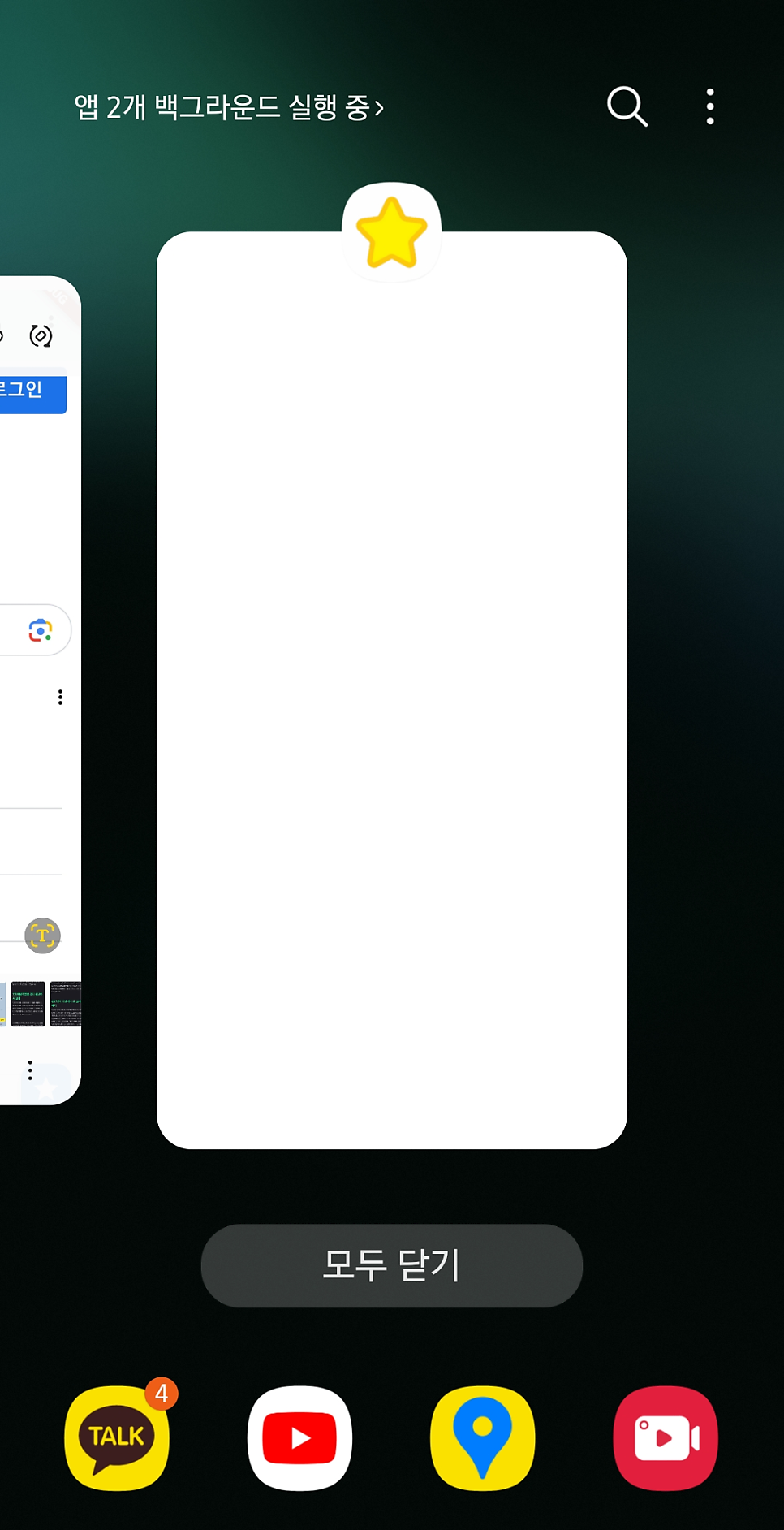
그래서 이렇게 구현은 했지만, 제 앱에는 스크린샷을 굳이 방지할 필요가 없기 때문에
이 패키지는 사용하지 않을 예정입니다.
읽어주셔서 감사합니다.
모쪼록 도움이 되셨길 바랍니다.!

이 외에 보안적으로 더 고려할 부분들은 다음 포스팅을 참조하면 도움이 됩니다. https://medium.com/@FlutterTech/ensure-the-security-of-your-flutter-app-a-step-by-step-guide-48e2c9f1fa14
Ensure the Security of Your Flutter App: A Step-by-Step Guide Have you ever wondered how to protect your Flutter app from security risks? Despite the growing popularity of Flutter applications, they… Have you ever wondered how to protect your Flutter app from security risks? Despite the growing popularity of Flutter applications, they…
Flutter에서 보안을 강화하는 방법들 Flutter에서 보안을 강화하는 방법들에 대해 알아보자 Flutter에서 보안을 강화하는 방법들에 대해 알아보자
https://www.linkedin.com/pulse/how-improve-security-your-flutter-app-anastasia-wartell-yznsc
How to Improve the Security of Your Flutter App ➡️Implement Local Authentication Enhance your app’s security by implementing local authentication. This adds an extra layer of authentication after the screen lock, which is particularly useful for apps with subscription or payment features. ➡️Implement Local Authentication Enhance your app’s security by implementing local authentication. This adds an extra layer of authentication after the screen lock, which is particularly useful for apps with subscription or payment features.
https://articles.wesionary.team/securing-your-flutter-app-implementing-a-privacy-screen-61383ce09f0a
Securing Your Flutter App: Implementing a Privacy Screen In today’s technology-driven world, privacy is a paramount concern for app developers. Whether it’s sensitive personal information, secure… In today’s technology-driven world, privacy is a paramount concern for app developers. Whether it’s sensitive personal information, secure…