Flutter Simple 그림판 (5) - 텍스트 컨테이너 줄바꿈 감지, 맞추기(character-breaking)(2)
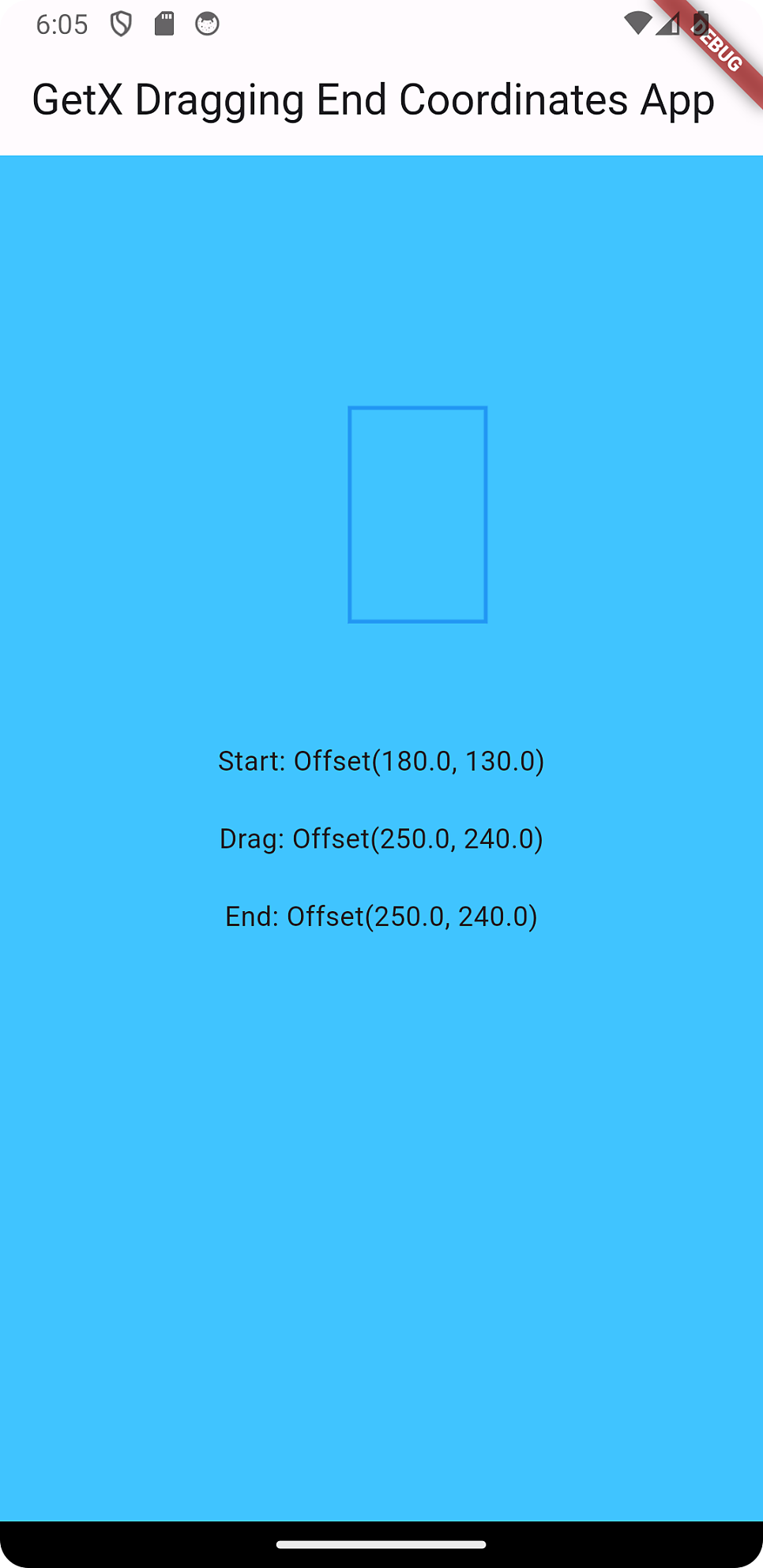
1
2
3
4
5
6
7
8
9
10
11
12
13
14
15
16
17
18
19
20
21
22
23
24
25
26
27
28
29
30
31
32
33
34
35
36
37
38
39
40
41
42
43
44
45
46
47
48
49
50
51
52
53
54
55
56
57
58
59
60
61
62
63
64
65
66
67
68
69
70
71
72
73
74
75
76
77
78
79
80
81
82
83
84
85
86
87
88
89
90
91
92
93
94
95
96
97
98
99
100
101
102
103
104
105
106
107
108
109
110
111
112
113
114
115
116
117
118
119
120
121
122
123
124
125
126
127
128
129
130
131
132
133
134
135
136
137
138
139
140
141
142
143
144
145
146
147
148
149
150
151
152
153
154
155
156
157
158
159
160
161
import 'package:flutter/material.dart';
import 'package:flutter/services.dart';
import 'package:get/get.dart'; // Ensure GetX is still used for dependency injection.

class TapController extends GetxController {
  var startStr = 'Tap Somewhere'.obs;
  var endStr = ''.obs;
  var dragStr = ''.obs; // Add this line for drag coordinates
  bool isDrawing = false;
  // starting point
  Offset? start;
  // dragging point
  Offset? drag;
  // ending point
  Offset? end;

  void updateUI() {
    // Calls GetxController's update method to update the UI
    update();
  }

  void reset() {
    start = null;
    drag = null;
    end = null;
    isDrawing = false;
    updateUI();
  }

  void notifyEnd() {
    isDrawing = false;
    updateUI();
  }

  // Add this method for updating drag coordinates
  void updateDragCoordinates(Offset newCoordinates) {
    if (!isDrawing) {
      // If the user is not dragging, then the current drag coordinates are the starting point
      updateStartingPoint(newCoordinates);
    }
    // Update the drag coordinates
    updateDragPoint(newCoordinates);

    isDrawing = true;
  }

  void updateStartingPoint(Offset newStart) {
    startStr.value = newStart.toString();
    start = newStart;
    updateUI();
  }
  void updateDragPoint(Offset newDrag) {
    dragStr.value = newDrag.toString();
    drag = newDrag;
    updateUI();
  }
  void updateEndingPoint(Offset newEnd) {
    endStr.value = newEnd.toString();
    end = newEnd;
    updateUI();
  }
}

void main() {
  runApp(MyApp());
}
class MyApp extends StatelessWidget {
  @override
  Widget build(BuildContext context) {
    final TapController tapController = Get.put(TapController());

    return GetMaterialApp(
      home: Scaffold(
        appBar: AppBar(
          title: Text('GetX Dragging End Coordinates App'),
        ),
        body: GestureDetector(
          onTapDown: (TapDownDetails details) {

          },
          onPanUpdate: (DragUpdateDetails details) {
            // Apply grid to the details.localPosition to make the drag coordinates snap to the grid
            final x = (details.localPosition.dx / 10).round() * 10;
            final y = (details.localPosition.dy / 10).round() * 10;
            // Keep updating the drag coordinates and the end position as the user drags
            tapController.updateDragCoordinates(Offset(x.toDouble(), y.toDouble()));
            tapController.updateEndingPoint(Offset(x.toDouble(), y.toDouble()));
          },
          onPanEnd: (DragEndDetails details) {
            // When the user stops dragging, notify the controller
            tapController.notifyEnd();

            if (tapController.start != null && tapController.end != null) {
              // Calculate the width and height of the rectangle
              final width = (tapController.end!.dx - tapController.start!.dx).abs();
              final height = (tapController.end!.dy - tapController.start!.dy).abs();
              // Navigate to the SquareDetailsScreen and pass the width and height as arguments
              Get.to(() => SquareDetailsScreen(width: width, height: height));
            }
          },

          child: Stack(
            children: [
              Container(
                color: Colors.lightBlueAccent,
                alignment: Alignment.center,
                child: GetBuilder(
                  builder: (_) => Column(
                    mainAxisSize: MainAxisSize.min,
                    children: [
                      Text("Start: ${_.startStr.value}"),
                      SizedBox(height: 20),
                      Text("Drag: ${_.dragStr.value}"),
                      SizedBox(height: 20),
                      Text("End: ${_.endStr.value}"),
                    ],
                  ),
                ),
              ),
              GetBuilder(
                builder: (_) {
                  final start = _.start;
                  final end = _.end;
                  print('start: $start, end: $end');
                  if (start != null && end != null) {
                    final rect = Rect.fromPoints(start, end);
                    return CustomPaint(
                      painter: RectanglePainter(rect: rect),
                      child: Container(),
                    );
                  } else {
                    return SizedBox.shrink();
                  }
                },
              ),
            ],
          ),
        ),
      ),
    );
  }
}

class RectanglePainter extends CustomPainter {
  final Rect? rect;
  RectanglePainter({this.rect});

  @override
  void paint(Canvas canvas, Size size) {
    if (rect != null) {
      final paint = Paint()
        ..color = Colors.blue
        ..style = PaintingStyle.stroke
        ..strokeWidth = 2.0;
      canvas.drawRect(rect!, paint);
    }
  }

  @override
  bool shouldRepaint(covariant RectanglePainter oldDelegate) => true;
}
1
2
3
4
5
6
7
8
9
10
11
12
13
14
15
16
17
18
19
20
21
22
23
24
25
26
27
28
29
30
31
32
33
34
35
36
37
38
39
40
41
42
43
44
45
46
47
48
49
50
51
52
53
54
55
56
57
58
59
60
61
62
63
64
65
66
67
68
69
70
71
72
73
74
75
76
77
78
79
80
81
82
83
84
85
86
87
88
89
90
91
92
93
94
95
96
97
98
99
100
101
102
103
104
105
106
107
108
109
110
111
112
113
114
115
116
117
118
class SquareDetailsScreen extends StatefulWidget {
final double width;
final double height;
SquareDetailsScreen({Key? key, required this.width, required this.height})
: super(key: key);
@override
_SquareDetailsScreenState createState() => _SquareDetailsScreenState();
}
class _SquareDetailsScreenState extends State {
final TextEditingController _textController = TextEditingController();
String formattedText = ""; // State variable for holding formatted text
late int maxLength;
final double fontSizeDefault = 20;
final FontWeight fontWeightDefault = FontWeight.bold;
// Initialize textStyle using the default font size and weight
late TextStyle textStyle;
final TextAlign textAlignment = TextAlign.center;
@override
void initState() {
super.initState();
// Initialize textStyle here to use it in textChanged
textStyle = TextStyle(
fontSize: fontSizeDefault,
fontWeight: fontWeightDefault,
height: 1.0,
);
maxLength = 1000; // Initial high limit to not constrain input initially
_textController.addListener(textChanged);
}
@override
void dispose() {
_textController.removeListener(textChanged);
_textController.dispose();
super.dispose();
}
void textChanged() {
final String currentText = _textController.text;
formattedText = breakCharacterWithMeasurement(
currentText, textStyle, widget.width, widget.height, textAlignment);
setState(() {
this.formattedText = formattedText;
});
}
int calculateLinesCount(TextStyle style, double containerHeight) {
// Using a space character to measure the height might be more reliable as it should
// give us the height of an empty line of text, including leading.
final TextPainter textPainter = TextPainter(
text: TextSpan(text: ' ', style: style),
maxLines: 1,
textDirection: TextDirection.ltr,
)..layout(minWidth: 0, maxWidth: double.infinity);
// The height property acts as a multiplier to the font size.
double styleHeight = style.fontSize! * (style.height ?? 1.0);
// Measure the height of a space character as a proxy for line height.
double measuredHeight = textPainter.size.height;
print("measuredHeight: $measuredHeight");
// Regard the line height as the maximum of the measured height and the style height.
double lineHeight = measuredHeight > styleHeight ? measuredHeight : styleHeight;
print("lineHeight: $lineHeight");
// Calculate the number of lines that can fit in the container.
int linesCount = containerHeight ~/ lineHeight;
return linesCount;
}
String breakCharacterWithMeasurement(
String input, TextStyle textStyle, double containerWidth, double containerHeight, TextAlign textAlign) {
List lines = [];
TextPainter textPainter = TextPainter(
textDirection: TextDirection.ltr,
textAlign: textAlign,
);
String currentTextLine = '';
print("containerWidth: $containerWidth");
print("containerHeight: $containerHeight");
//
double textWidth;
double textWidthPadding = textStyle.fontSize! * 0.5;
// modify the containerHeight to be the multiple of the text height
int linesCount = calculateLinesCount(textStyle, containerHeight);
print("linesCount: $linesCount");
// Split the input text into lines that fit within the container height
for (int i = 0; i = containerWidth) {
if (lines.length < linesCount) {
lines.add(currentTextLine);
currentTextLine = input[i]; // start a new line
} else {
break;
}
} else {
currentTextLine = testTextLine; // the testLine fits within the container width
}
print("new currentTextLine: $currentTextLine");
}
if (lines.length < linesCount){
lines.add(currentTextLine);
}
print("result lines: $lines");
String resultText = lines.join('\n');
return resultText;
}
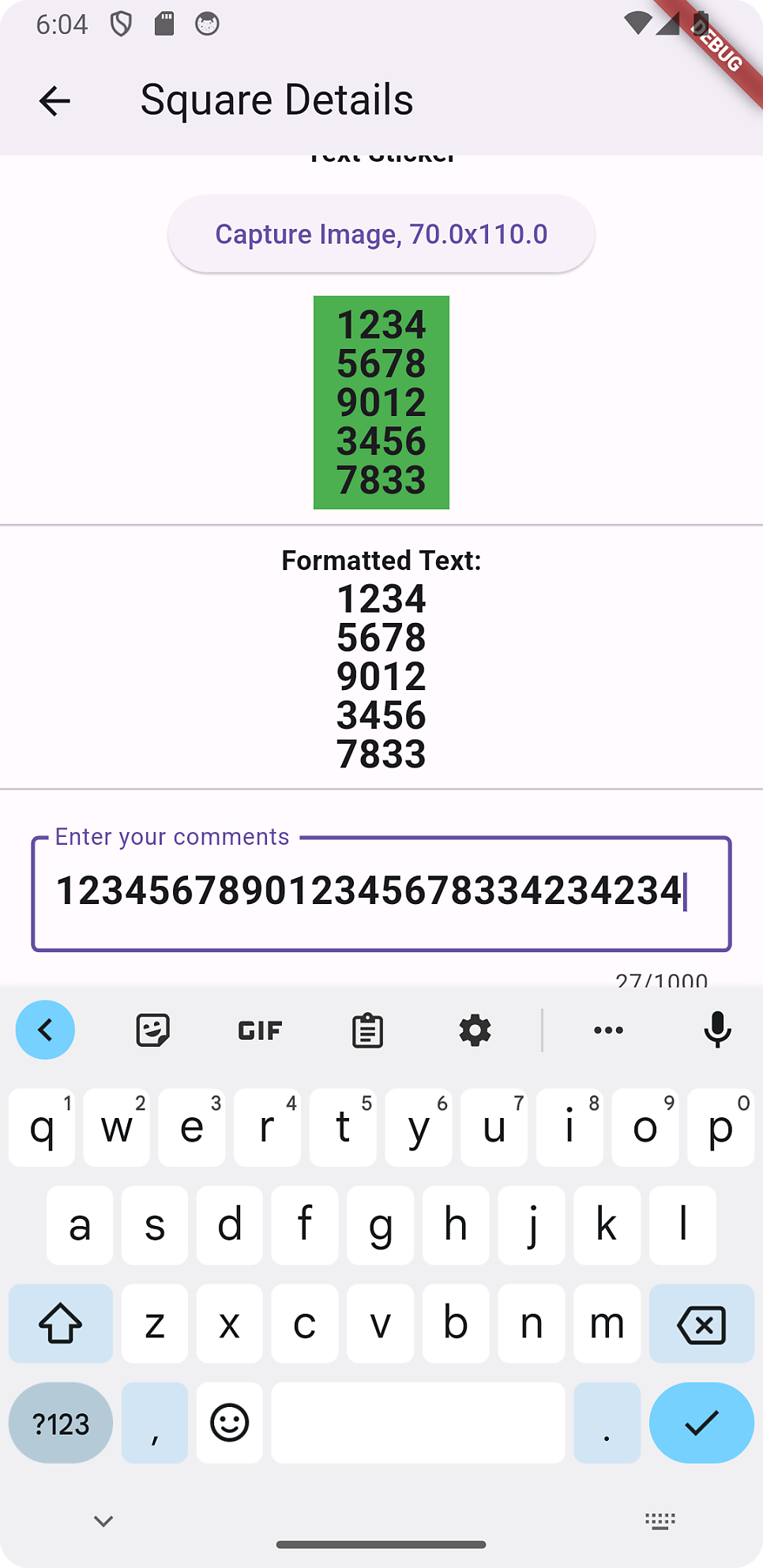
1
2
3
4
5
6
7
8
9
10
11
12
13
14
15
16
17
18
19
20
21
22
23
24
25
26
27
28
29
30
31
32
33
34
35
36
37
38
39
40
41
42
43
44
45
46
47
48
49
50
51
52
53
54
55
56
57
58
59
60
61
62
63
64
65
66
67
68


  @override
  Widget build(BuildContext context) {
    return Scaffold(
      appBar: AppBar(title: Text('Square Details')),
      body: SingleChildScrollView(
        child: Column(
          children: [
            Divider(),
            Text(
              'Text Sticker',
              style: TextStyle(fontWeight: FontWeight.bold),
            ),
            // button to capture the green container as an image
            ButtonBar(
              alignment: MainAxisAlignment.center,
              children: [
                ElevatedButton(
                  onPressed: () {
                    // Capture the green container as an image
                    print('Capture the green container as an image');
                  },
                  // Text to display in the button and width, height of the green container
                  child: Text('Capture Image, ${widget.width}x${widget.height}'),
                ),
              ],
            ),

            Container(
              width: widget.width,
              height: widget.height,
              color: Colors.green,
              alignment: Alignment.center,
              child: Text(
                formattedText, // Display the formatted text here
                style: textStyle,
                textAlign: textAlignment,
              ),
            ),
            Divider(),
            Text(
              'Formatted Text:',
              style: TextStyle(fontWeight: FontWeight.bold),
            ),
            Container(
              width: double.infinity,
              child: Text(formattedText, style: textStyle,textAlign: textAlignment),
            ),
            Divider(),
            Padding(
              padding: EdgeInsets.all(16.0),
              child: TextField(
                controller: _textController,
                maxLength: maxLength,
                decoration: InputDecoration(
                  border: OutlineInputBorder(),
                  labelText: 'Enter your comments',
                ),
                style: textStyle, // Apply the specified textStyle to the TextField
              ),
            ),
          ],
        ),
      ),
    );
  }
}
멀티라인 인풋필드로 하려면,
1
2
3
4
5
6
7
8
9
10
11
12
13
14
15
16
17
18
19
            Padding(
              padding: EdgeInsets.all(16.0),
              child: TextField(
                controller: _textController,
                maxLength: maxLength,
                // To allow for unlimited lines, set maxLines to null.
                // If you want to limit the number of lines, set maxLines to an integer value greater than 1.
                maxLines: null,
                keyboardType: TextInputType.multiline, // Set the keyboard type to multiline
                textInputAction: TextInputAction.newline, // Set the input action to support newline for multiline input
                decoration: InputDecoration(
                  border: OutlineInputBorder(),
                  labelText: 'Enter your comments',
                ),
                style: textStyle, // Apply the specified textStyle to the TextField
                // Optional: Remove the maxLength restriction while typing (but still show the counter)
                maxLengthEnforcement: MaxLengthEnforcement.none,
              ),
            ),
이 기사는 저작권자의 CC BY 4.0 라이센스를 따릅니다.