[Unity] 장면(Scenes) 간 데이터 지속, DontDestroyOnLoad()

'로그인' 하는 장면, 그리고 '인게임' 장면, 이렇게 두 장면이 있다면 '로그인' 후 '인게임' 장면으로 넘어갈 때 만약 이전 '로그인'장면에서 로그인했던 정보를 '인게임' 장면으로 넘겨주지 못한다면 로그인했던 정보를 잃어버리게 된다. 이를 해결하기 위해서는 해당 로그인 정보를 담고 있는 오브젝트를 DontDestroyOnLoad() 함수 내에 넣어줘서 장면이 변경될 때에도 destroy되지 않고 그대로 지속될 수 있도록 만들 수 있다.
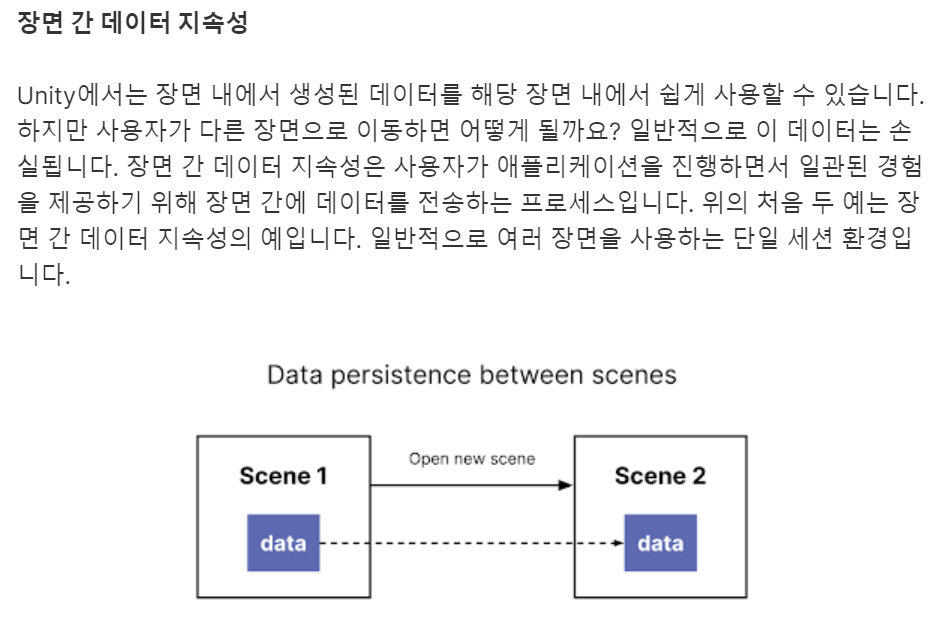
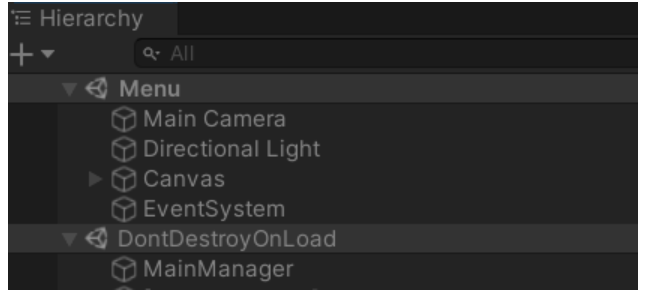
MainManager 클래스를 정적 인스턴스로 선언하고, 이를 DontDestroyOnLoad()에 넣어서 장면 간에 유지될 수 있도록 해보자.
1
2
3
4
5
6
7
8
9
10
11
12
13
14
15
16
17
18
19
20
21
22
public class MainManager : MonoBehaviour
{
    // Start() and Update() methods deleted - we don't need them right now

    public static MainManager Instance;

    public bool loggedIn; // new variable declared

    private void Awake()
    {
        // start of new code
        if (Instance != null)
        {
            Destroy(gameObject);
            return;
        }
        // end of new code

        Instance = this;
        DontDestroyOnLoad(gameObject);
    }
}
중복 생성을 방지하고 한 개의 MainManager만 유지될 수 있도록 if(Instance != null) {Destroy(gameobject);return;} 코드가 사용되었다. 장면이 바뀌어도 인스턴스가 유지될 수 있도록 DontDestroyOnLoad(gameObject); 코드를 작성하였다.
참고로, 내가 사용할 때는 정적 인스턴스를 public에서** private**으로 바꿔서 좀더 이쁘게 사용한다.
1
2
3
4
5
6
7
8
9
10
11
12
13
14
15
16
17
18
19
20
21
22
23
24
25
26
27
28
29
public class MainManager : MonoBehaviour
{
    // Start() and Update() methods deleted - we don't need them right now

    private static MainManager Instance;

    private bool loggedIn; // new variable declared

    private void Awake()
    {
        // start of new code
        if (Instance != null)
        {
            Destroy(gameObject);
            return;
        }
        // end of new code

        Instance = this;
        DontDestroyOnLoad(gameObject);
    }

    public static MainManager Get()
    {
        if (Instance == null)
            Instance = FindObjectOfType();
        return Instance;
    }
}
위와 같이 정적 인스턴스를 private하게 선언하고, 그 대신 외부에서 접근할 때는 Mainmanager.Get()과 같이 public Get()함수로 접근하면 된다.
이제 장면이 바뀔때마다 다시 로그인해야 할 필요가 없어졌다!ㅎㅎ

참고출처) https://learn.unity.com/tutorial/implement-data-persistence-between-scenes#634f8281edbc2a65c86270ca
Implement data persistence between scenes - Unity Learn In this tutorial, you’ll learn how to use data persistence to preserve information across different scenes by taking a color that the user selects in the Menu scene and applying it to the transporter units in the Main scene. By the end of this tutorial, you will be able to: Ensure data is preserved … In this tutorial, you’ll learn how to use data persistence to preserve information across different scenes by taking a color that the user selects in the Menu scene and applying it to the transporter units in the Main scene. By the end of this tutorial, you will be able to: Ensure data is preserved …